

Register Now
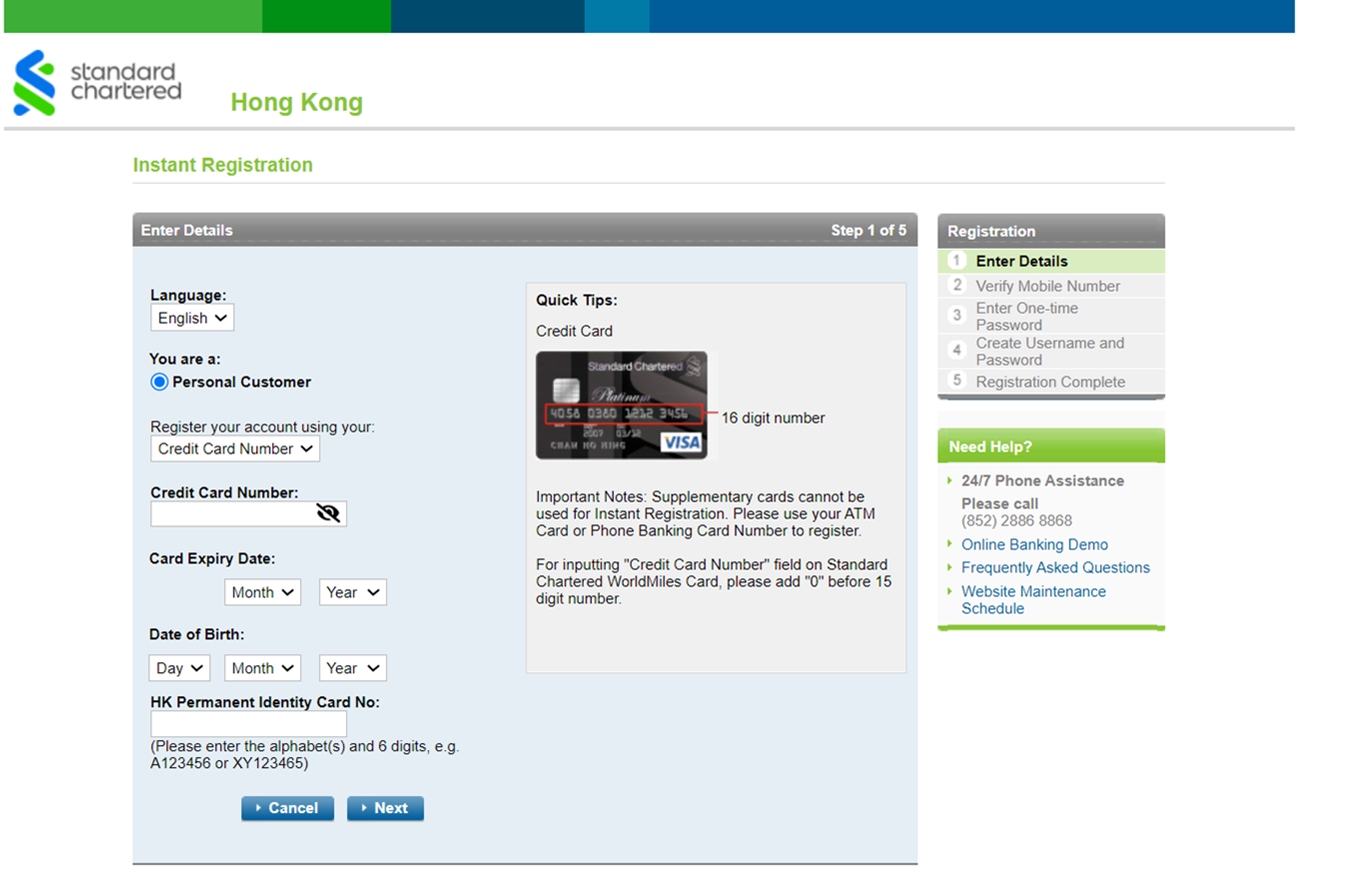
Before start, please get the below information ready:
BANKING CLIENTS | CLIENTS WITH CREDIT CARD ONLY |
|---|---|
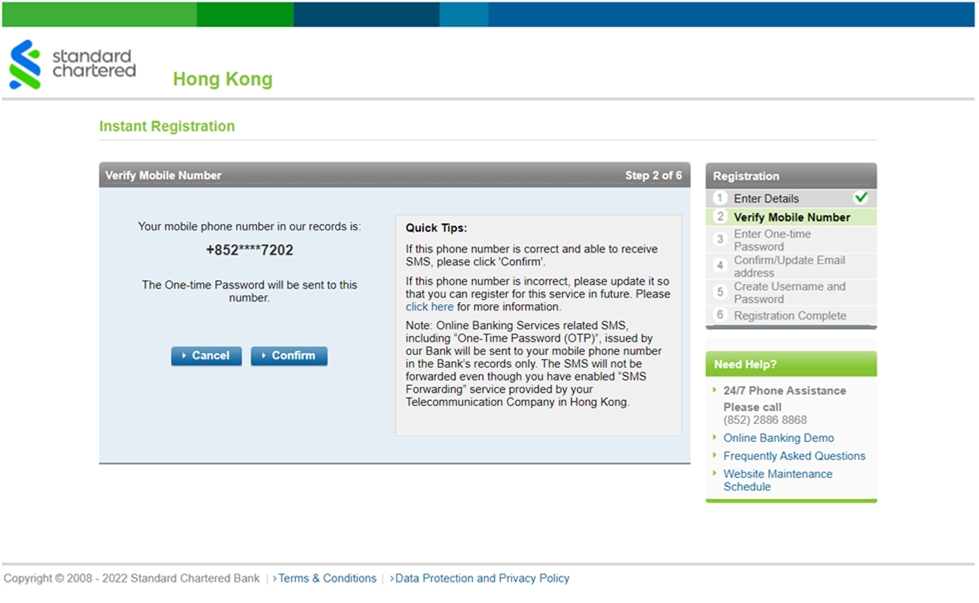
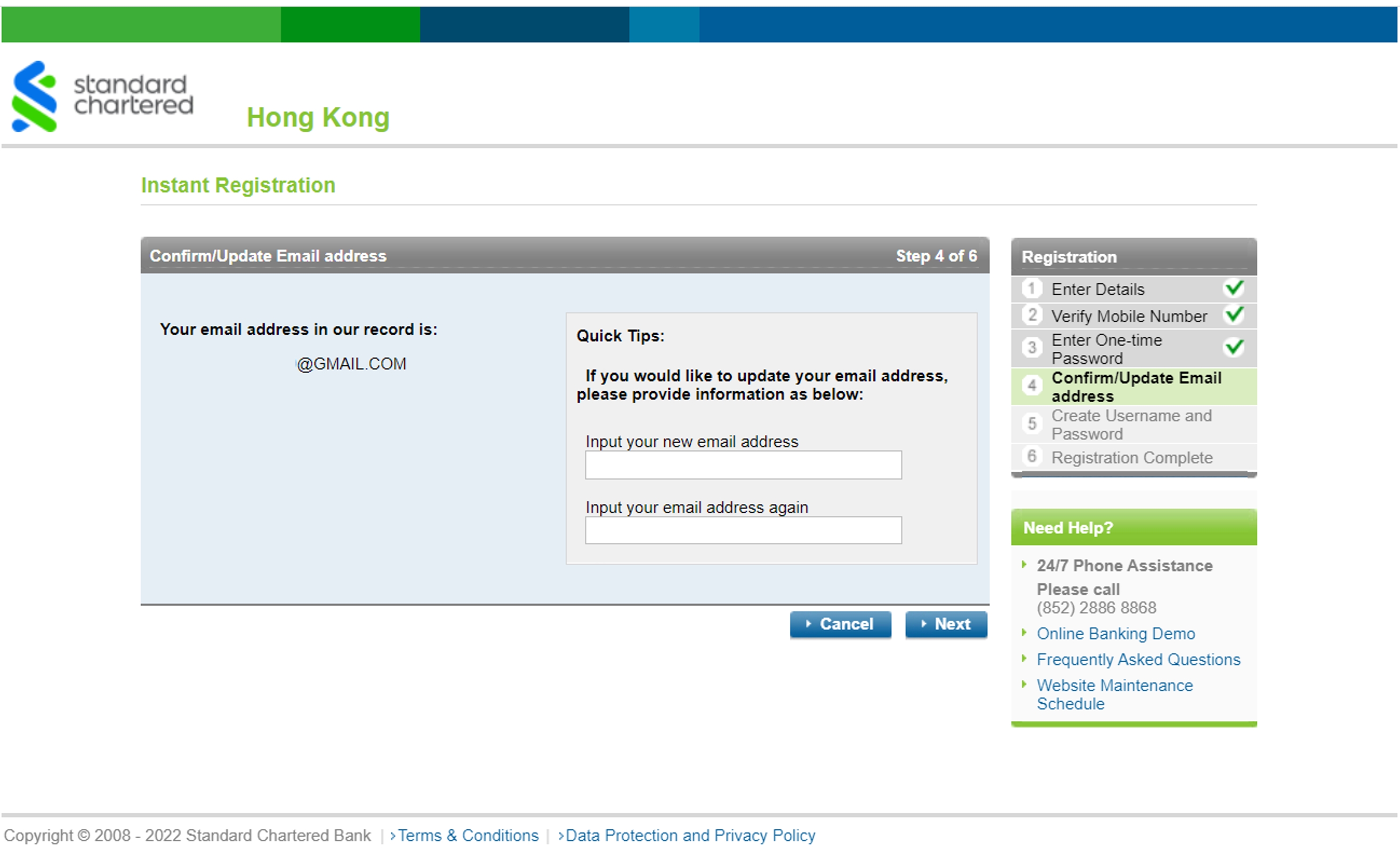
| a. ATM/Debit Card Number and PIN b. Your mobile phone number registered in our bank record for receiving One-Time Password via SMS c. Your registered email address in our bank record | a. Your SCB Credit Card Details b. Your mobile phone number registered in our bank record for receiving One-Time Password via SMS |
For clients who would like to register via SC Mobile App, please download “SC Mobile Hong Kong” from App Store / Google Play.
- SC Mobile App
- Online Banking
The SC Mobile App offers an extensive range of functionalities to take care of your banking needs. Enjoy our simpler, faster and more secure mobile banking anytime anywhere!
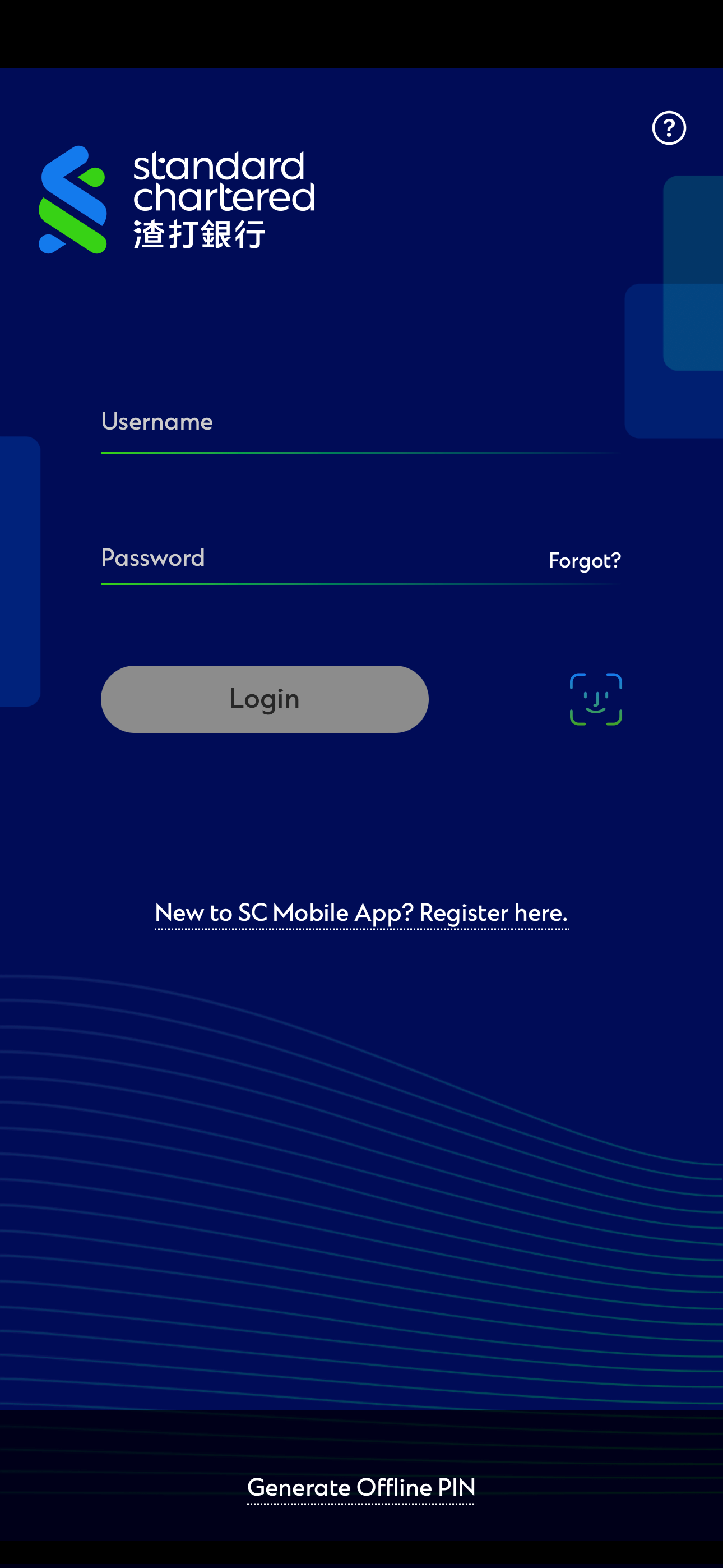
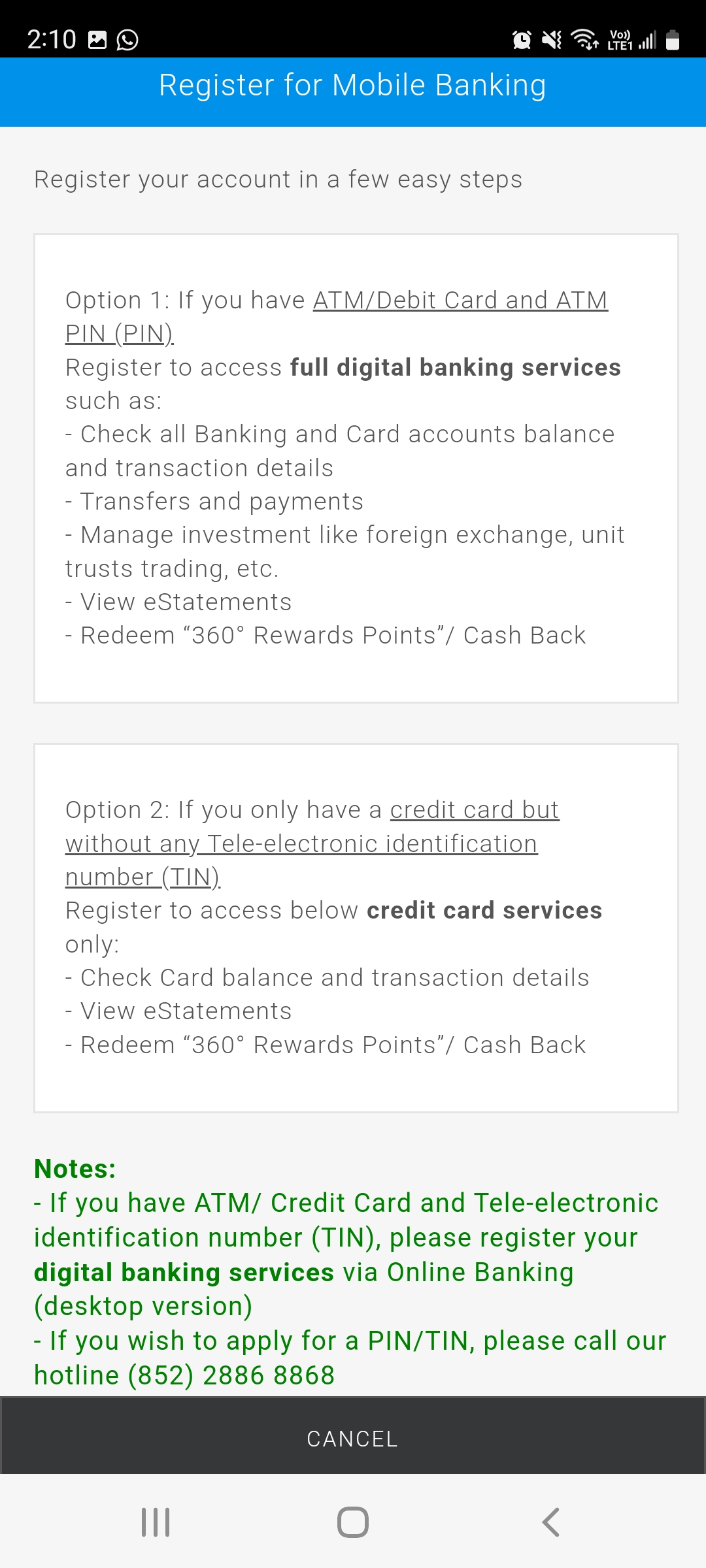
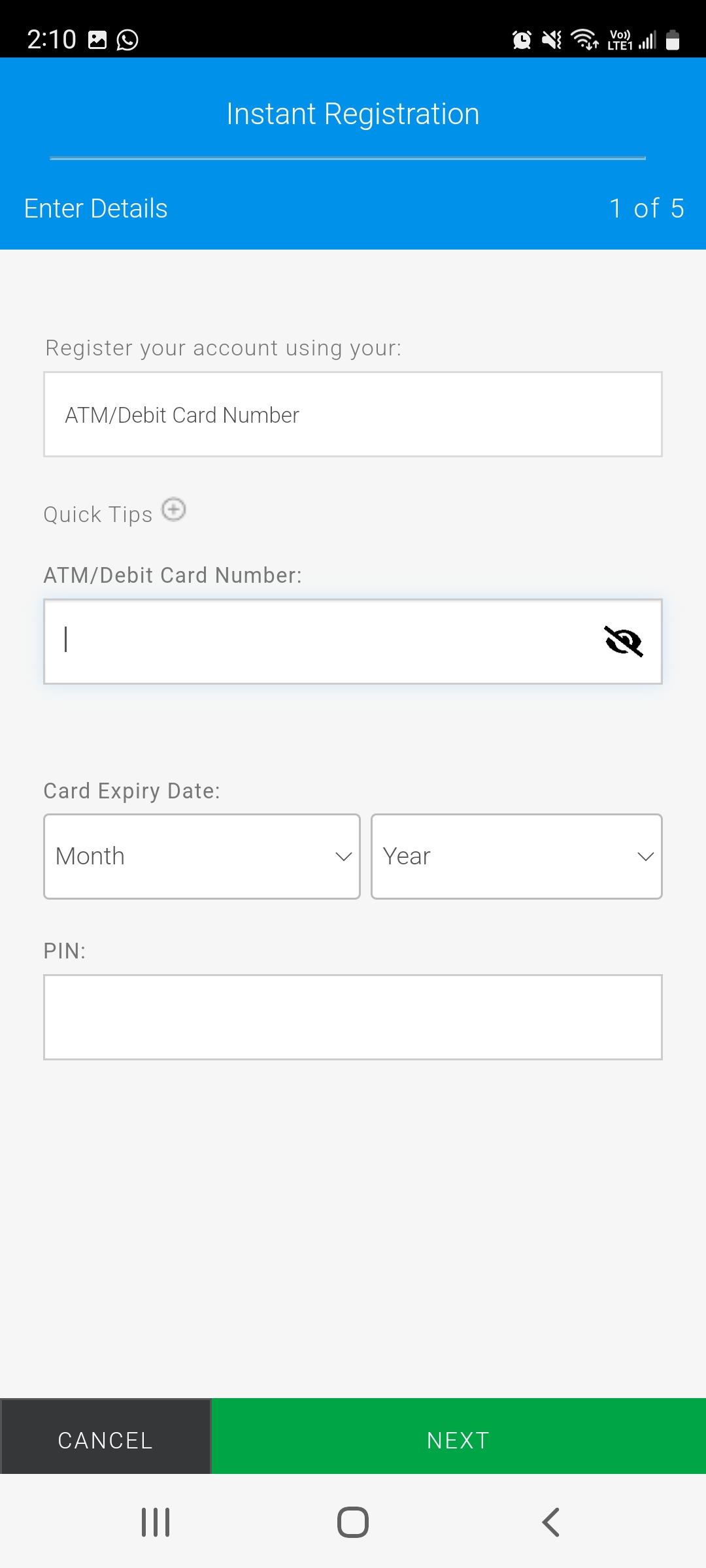
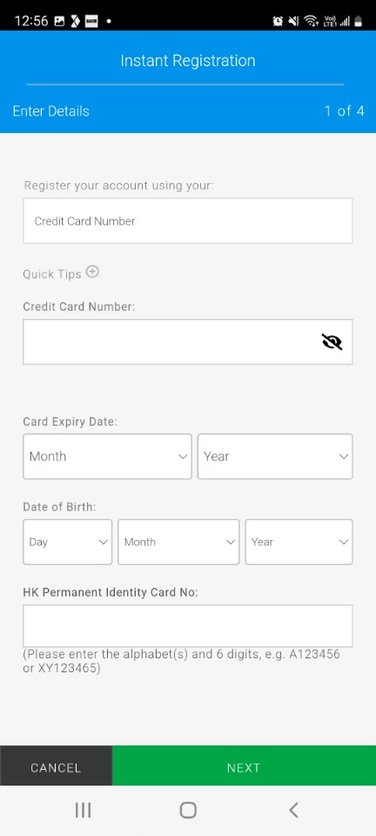
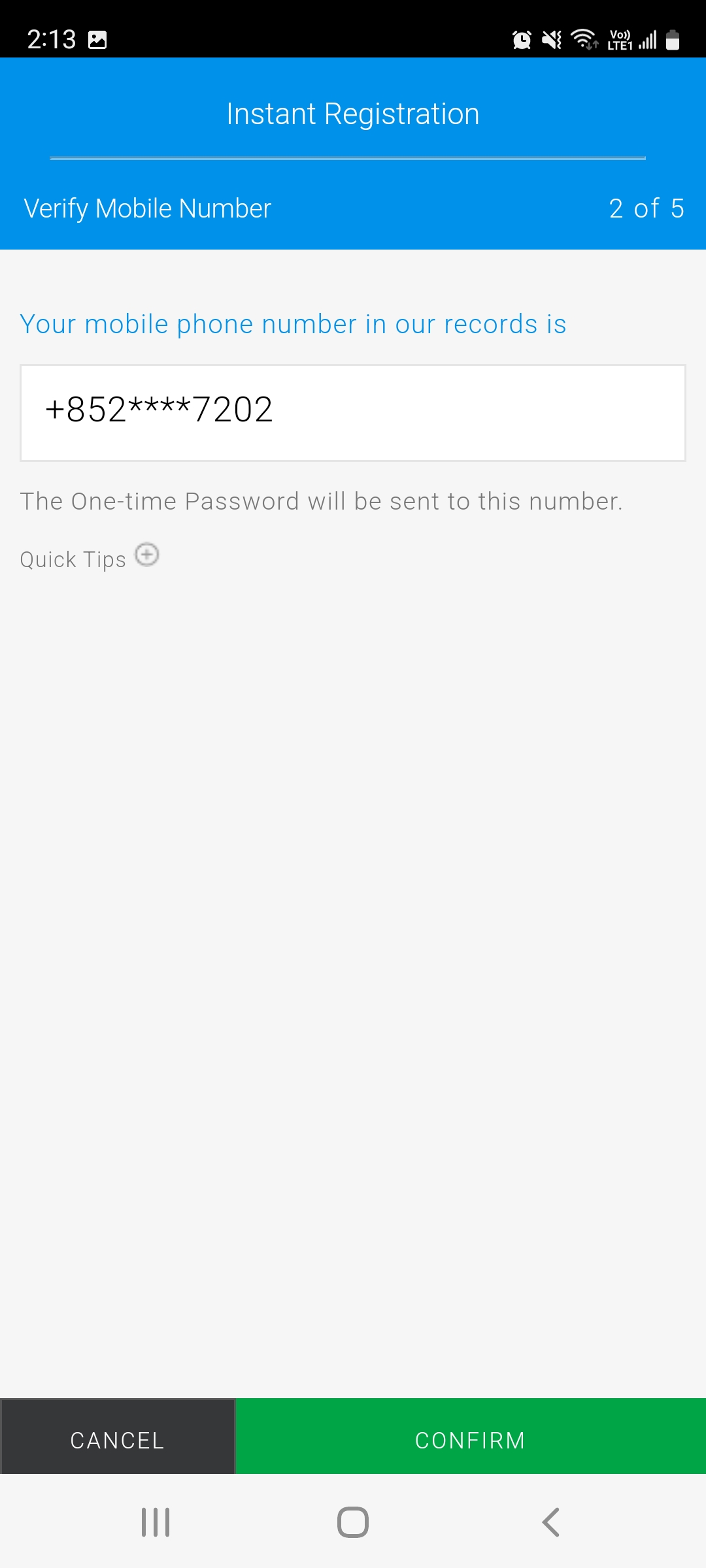
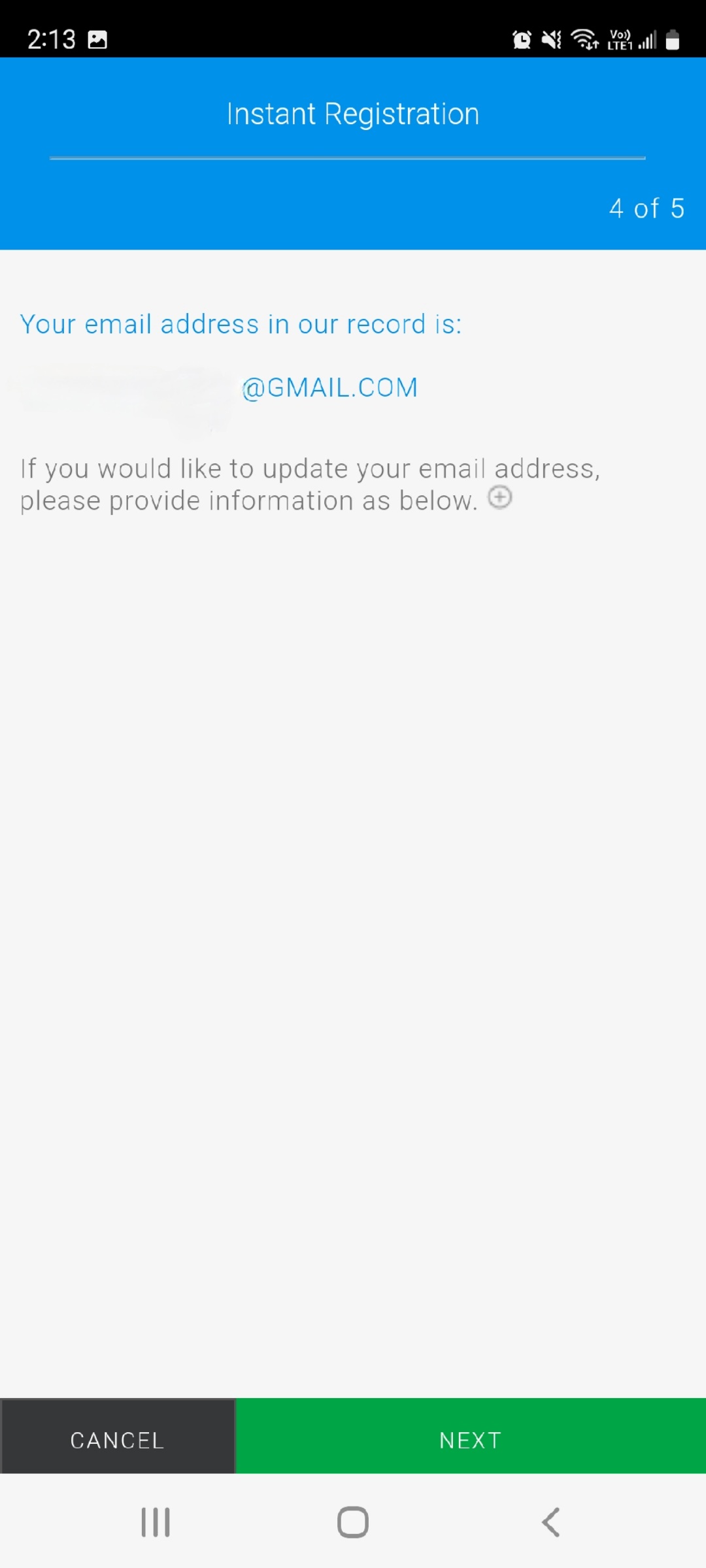
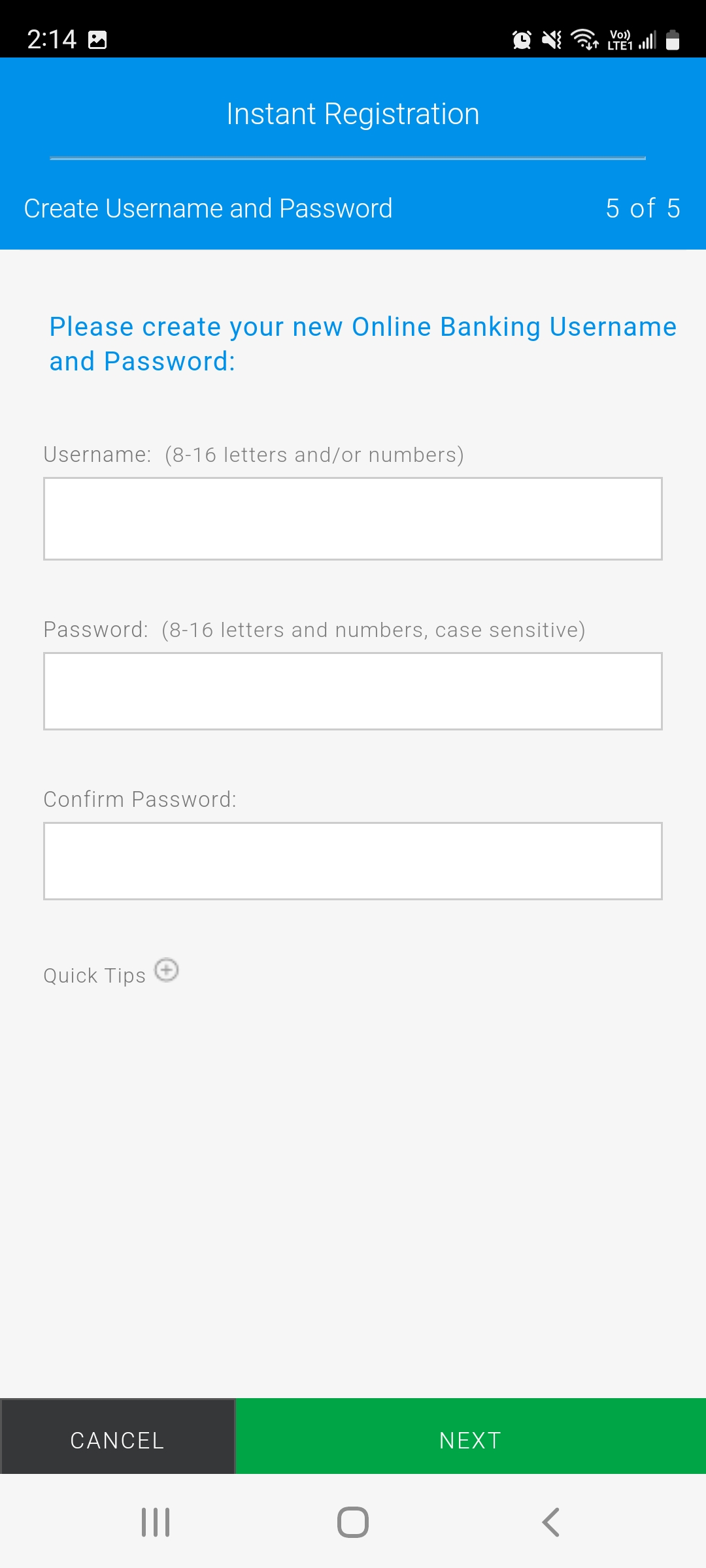
The SC Mobile App offers an extensive range of functionalities to take care of your banking needs. Enjoy our simpler, faster and more secure mobile banking anytime anywhere!
Note: Currently supported devices/mobile operating systems: Apple iOS 11 or above (on iPhone 5s or later model), Android™ 7.0 Nougat (API24) or above.
Standard Chartered strives to bring you a fast and comprehensive online banking experience. With our easy to use Online banking platform, you can securely bank anytime anywhere.
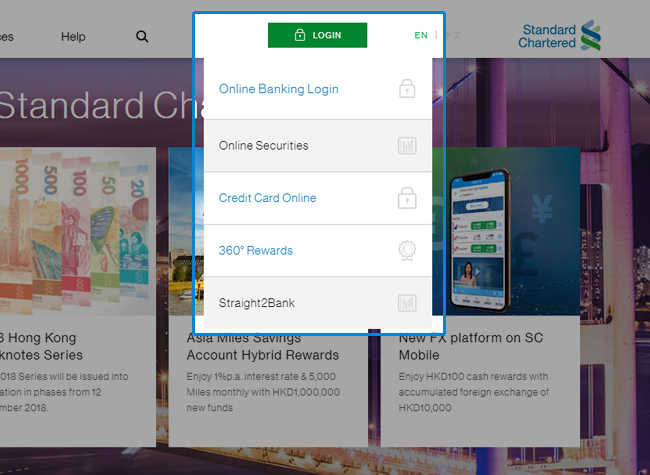
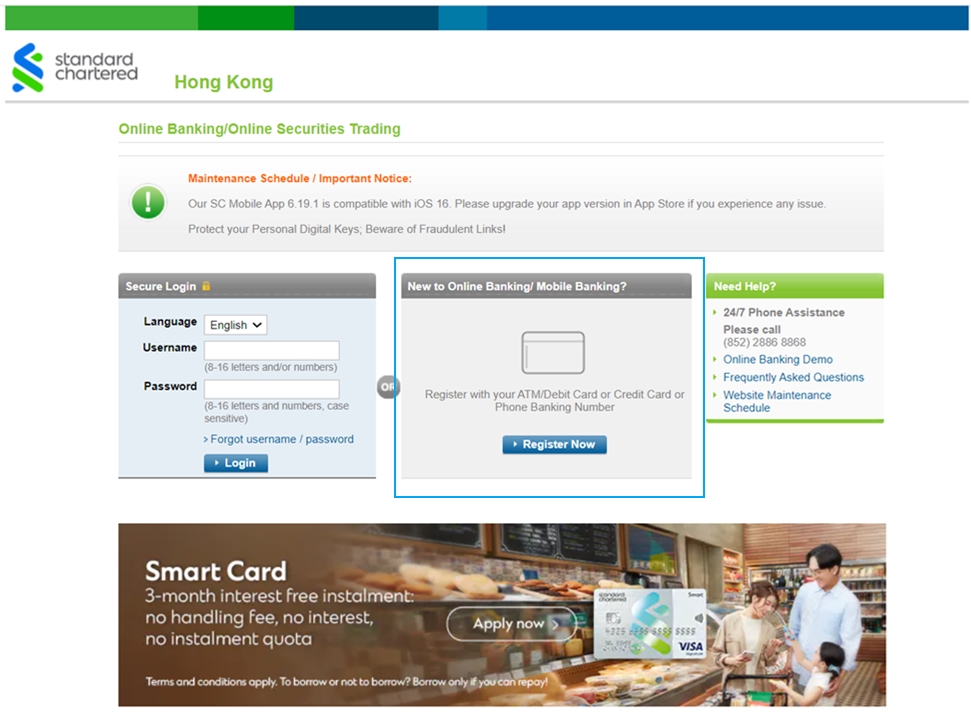
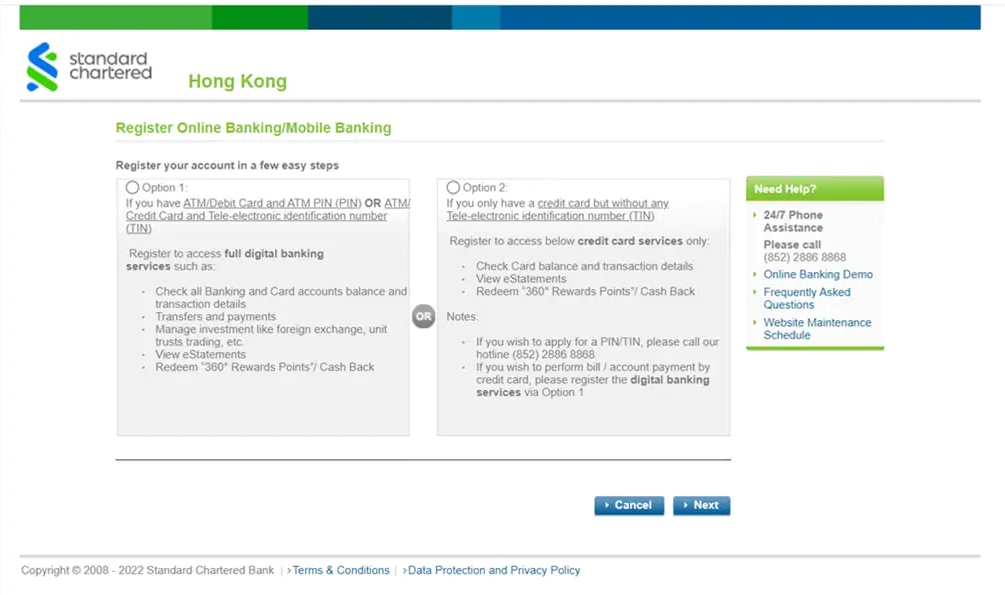
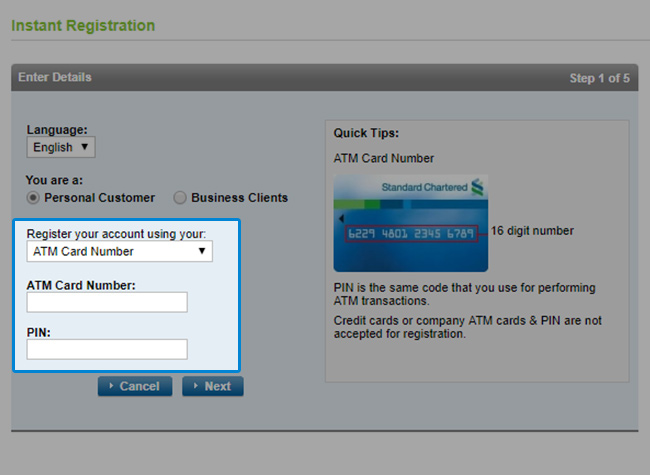
Standard Chartered strives to bring you a fast and comprehensive online banking experience. With our easy to use Online banking platform, you can securely bank anytime anywhere.
Tips on setting your Online Banking / SC Mobile App password
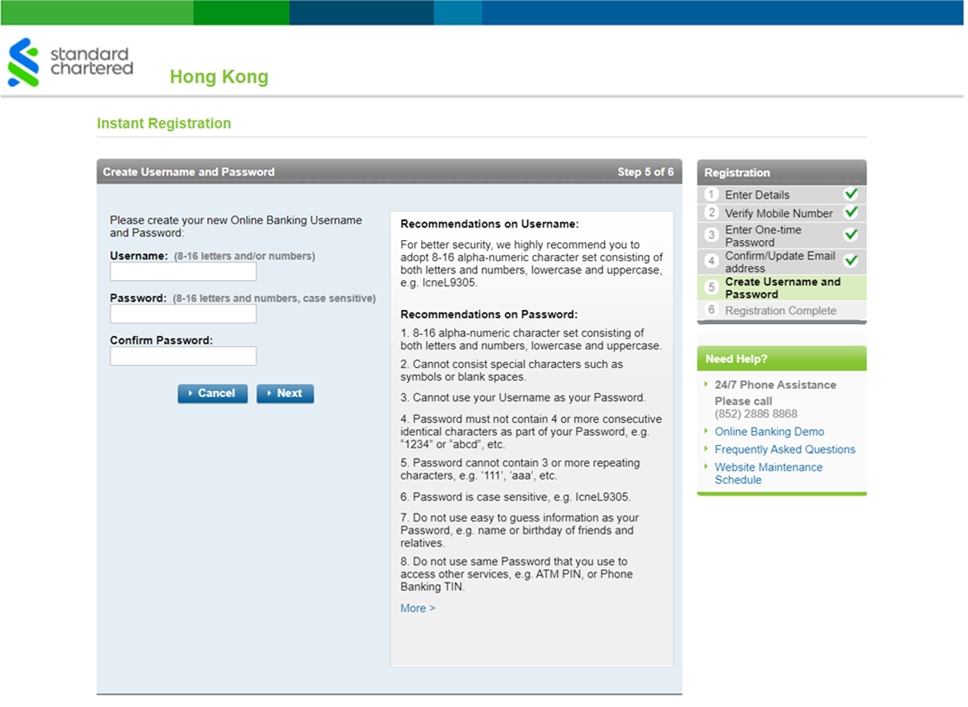
Password is the first line of defence against cyber criminals. It is a good practice to create a strong password and update it regularly. To better protect your Online Banking account, here are some tips to create a strong password.
HOW TO CREATE A STRONG PASSWORD


SC Mobile App - General FAQs
Given that your banking information is available on the lite login screen after registration, we advise you not to share your device with anyone. We strongly recommend you protect your phone with a passcode. For more security, tips on how to ensure the safety of your device, please go to the link-https://www.sc.com/global/security-tips/
SC Mobile App is supported on iPhone 5S or later models with iOS 11/+, smartphones with Android 7.0/+ or Harmony 2.
Please call our Standard Chartered Service Hotline for assistance.
- Priority Banking (852)2886-8866
- Premium Banking (852)2886-8877
- Other customers (852)2886-8888
You can download SC Mobile App via Apple App Store and Google Play. If you do not have Google Play, please go to the link for more details - http://www.sc.com/hk/apk/
It is encouraged you to visit our site frequently and process manual update proactively to ensure your device got the latest version of SC Mobile App. Please go to the link for more details - http://www.sc.com/hk/apk/
Standard Chartered Online Banking - General FAQs
Standard Chartered Online Banking is an innovative and comprehensive online banking service tailored to serve your changing financial needs. With Standard Chartered Online Banking, you can enjoy more convenient and round-the-clock banking services ranging from day-to-day account transfer transactions to valuable financial information, which enable you to manage your finance anytime anywhere.
- Hong Kong Dollar Savings/ Current/ Time Deposit Accounts
- Renminbi Savings/ Time Deposit Accounts
- Foreign Currency Savings/ Current/ Time Deposit Accounts
- Mortgage/ Personal Loan Accounts
- Credit Card Accounts
- Investment Accounts
Standard Chartered Online Banking is free to customers with valid Standard Chartered Tele-electronic Banking Services or ATM Card Services*. However, please note that use of some services such as request for credit card statement and, Telegraphic Transfer are subject to corresponding service charge.
* Setting up of Tele-electronic Banking Services or ATM Card Services for your Credit Card, Click-a-Count or relationship package (Easy Banking/Personal Banking Privileged Plan/Priority Banking) will be free of charge. Otherwise, it will be subject to an annual fee. Please refer to ‘Service Charges’ for details.
All the Web pages can be viewed in Traditional Chinese, Simplified Chinese or English.
You may register Standard Chartered Online Banking at our website. Personal customers: simply use your Phone Banking Card Number and your TIN or your ATM Card Number and your PIN to register Standard Chartered Online Banking. SME customers: use your Business Phone Banking Number and your TIN to register Standard Chartered Online Banking.
If you are a principal cardholder of Standard Chartered Credit Card or Manhattan Card, you may choose to register for “Credit Card Online”**. After registration of “Username” and “Password”, you can login to “Credit Card Online” or “Standard Chartered Online Banking”, to see your credit card details such as transaction history, payment due date, amount and 360° Reward Points, subscribe for/view your credit card eStatements and set up SMS alerts. If you need to access other Standard Chartered Online Banking services, or, your Standard Chartered bank accounts, you will need to re-register for Online Banking using your Phone Banking Card or ATM Card information.
Your online banking registration count will be locked after several incorrect inputs of above personal credentials during online banking registration. Personal customers: please contact our customer service hotline to arrange unlock. SME customers: please download applicable forms and mail the completed forms to the Bank or drop them at any of our branches for processing. Upon receipt and confirmation, your request will be processed within 3 working days.
You must receive a One-time Password via your mobile phone number in the Bank’s record and complete 2-Factor Authentication before defining your Standard Chartered Online Banking or Credit Card Online Username and Password. After registration, you may login the services using your self-defined Username and Password.
Please visit any branches to request.
Phone Banking Card is the designated ATM Card or Credit Card that has been registered for Phone Banking services. Tele-electronic Identification Number (TIN) is your Phone Banking services password.
Please visit any branches or call us at (852)2886-8888 to request.
That is your self-defined 8-16 characters Standard Chartered Online Banking or Credit Card Online Username & Password.
For Personal Customers:
You may register your ‘Username’ and ‘Password’ with your Phone Banking Card Numer and TIN or ATM Car Number and PIN at Standard Chartered website. If you are a principal cardholder of Standard Chartered Credit Card or Manhattan Card (Except Shop’n Gain Credit Card, designated MasterCard (card number starting with 5488) and MANHATTAN id Platinum Card.) you may choose to register for “Credit Card Online”. You must receive a One-time Password via your mobile phone number in the Bank’s record and complete 2-Factor Authentication before defining your Standard Chartered Online Banking or Credit Card Online Username and Password.
SME Banking Customer:
You may register your ‘Username’ and ‘Password’ with your Business Phone Banking Number and TIN at Standard Chartered website. You must receive a One-time Password via your mobile phone number in the Bank’s record and complete 2-Factor Authentication before defining your Standard Chartered Online Banking Username and Password.
Yes, you can login to Standard Chartered Online Banking and change your Password anytime to ensure security.
If you suspect that your Password has been stolen or exposed to others, please call our Customer Service Hotline at (852)2886-8868 (Press 2,6,0 to talk to our Customer Service Representative) to terminate your access immediately.
Should you encounter any difficulties during login, please call our Customer Service Hotline at (852)2886-8868 (Press 2,6,0 to talk to our Customer Service Representative).
You will benefit from the most comprehensive range of services in many ways:
- Account Information - Your account balances and status of your issued cheques are just a few clicks away!
- Fund Transfer and Payment – Experience the ultimate convenience, especially when it comes to transferring funds, making payments and even Telegraphic Transfer to third parties.
- Investment Services – Enjoy all the choices, information, analysis and flexibility of our all-rounded Investment Services.
- Card Services – No more troubles in making card payments or checking your card balances and 360° Rewards Points with Standard Chartered Online Banking.
- Online Applications – You can now even open new accounts and apply for our insurance, loans and credit cards easily from home and at your own convenience!
- Personal Update – Keep us posted of any changes to your personal details and plans whenever you wish.
- Market Watch – Deposit, lending and foreign exchange rates, market movements, and professional economic trends are at your fingertips all day through.
- e-Statement – Not only reduce paper consumption, you can also retrieve your last 12 months’ statement at online.
You can enquire on your account balance, transfer funds in same currency, pay bills and conduct credit card-related transactions at anytime when you are online with us. Foreign currency exchange related services are available from 9:00a.m. to 9:00p.m. on weekdays and from 9:00a.m. to 1:00p.m. on Saturdays, excluded Sundays and public holidays, just the same as normal market hours.
You can check all the accounts under your name, whether in your sole name or in the joint names with others.
However, if you are first time login to Standard Chartered Online Banking, your credit card transaction records, loan transaction records and SME (Small-Medium Enterprise) accounts will be available in online banking on the next business day. Meanwhile, please call our Customer Service Hotline for transaction history or account information.
- Deposit Account – 1 year
- Standard Chartered Credit Card – 90 days
- MANHATTAN Credit Card – upto last 2 months’ statements and billed transactions
- Loan & Mortgage – 1 year
Transactions made with your deposit accounts after 11pm or on holidays will be shown from the following business day. Balance in corresponding Standard Chartered deposit account(s) will be updated immediately.
Payments to/from your credit cards will be shown after 1 or 2 business days.