
You're about to leave our website

This hyperlink will bring to you to another website on the Internet, which is published and operated by a third party which is not owned, controlled or affiliated with or in any way related to Standard Chartered Bank (Hong Kong) Limited or any member of Standard Chartered Group ( the "Bank").

The hyperlink is provided for your convenience and presented for information purposes only. The provision of the hyperlink does not constitute endorsement, recommendation, approval, warranty or representation, express or implied, by the Bank of any third party or the hypertext link, product, service or information contained or available therein.

The Bank does not have any control (editorial or otherwise) over the linked third party website and is not in any way responsible for the contents available therein. You use or follow this link at your own risk. To the extent permissible by law, the Bank shall not be responsible for any damage or losses incurred or suffered by you arising out of or in connection with your use of the link.

Please be mindful that when you click on the link and open a new window in your browser, you will be subject to the terms of use and privacy policies of the third party website that you are going to visit.


Proceed to third party website

Activate Debit / ATM Card and Set PIN

Below cards are not eligible to activate via SC Mobile App:

Debit / ATM card issued and PIN set-up at branch counters without client name on card face:

Please activate by performing a transaction (e.g., check balance) via any of the SCB ATM in Hong Kong with your ATM PIN.

Steps to Activate Debit / ATM Card and Set-up PIN in SC Mobile App

To activate UnionPay ATM Card
Step 1

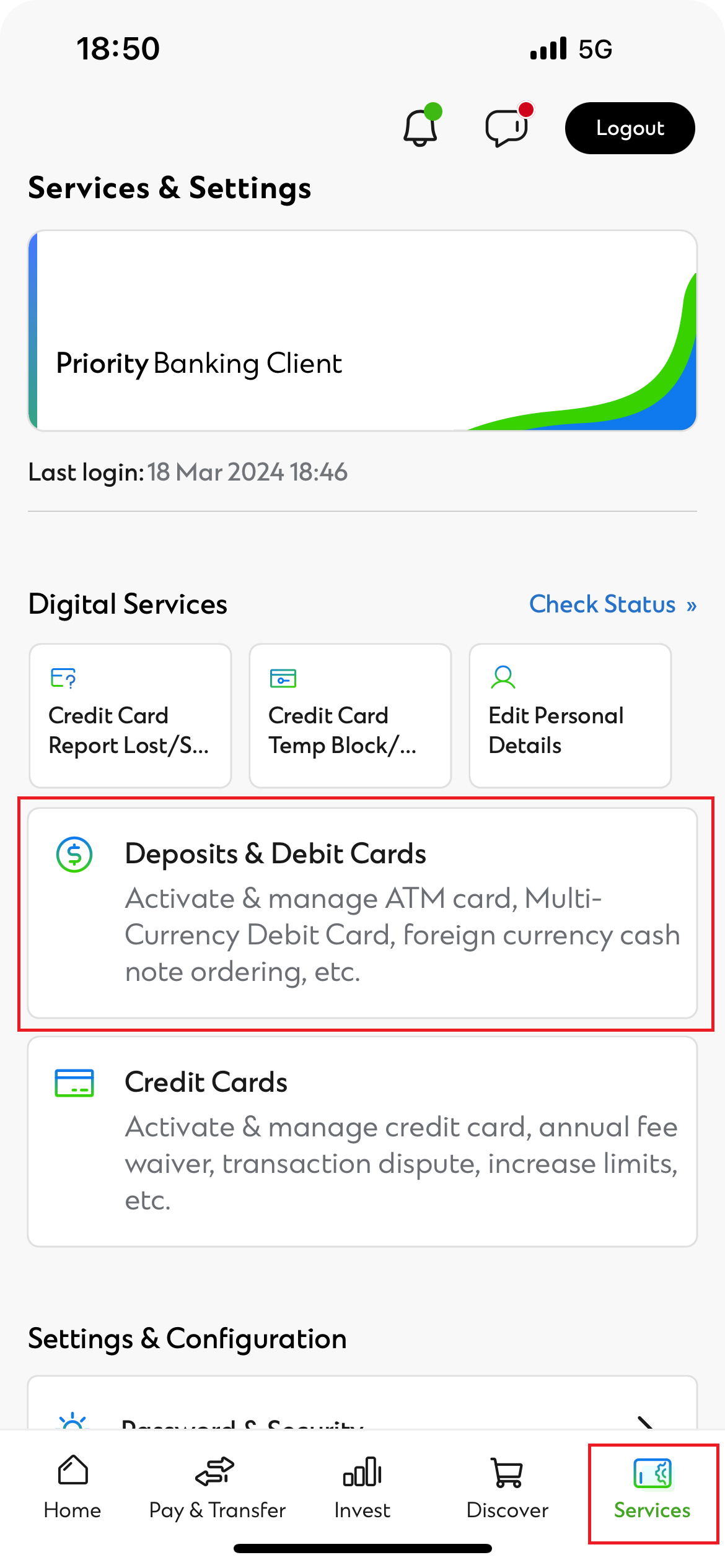
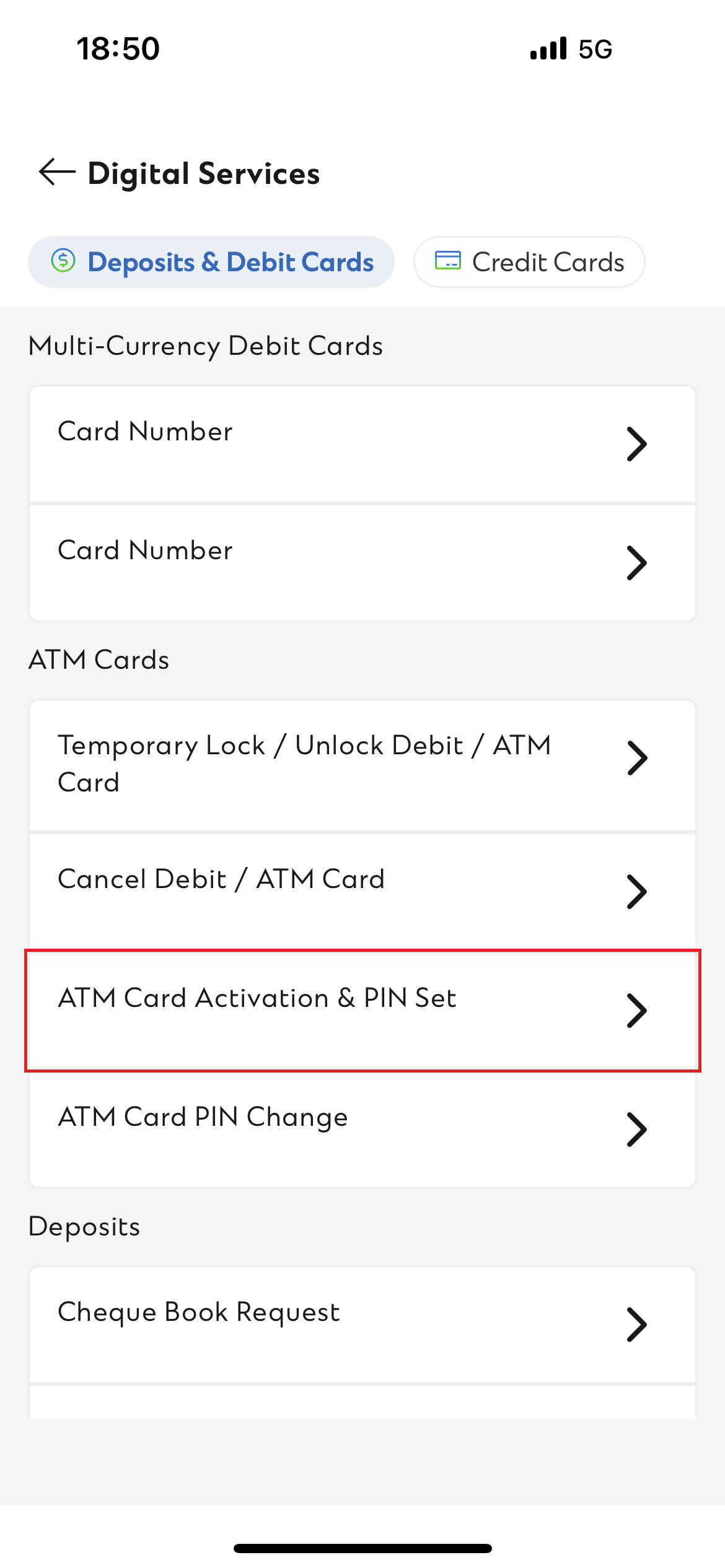
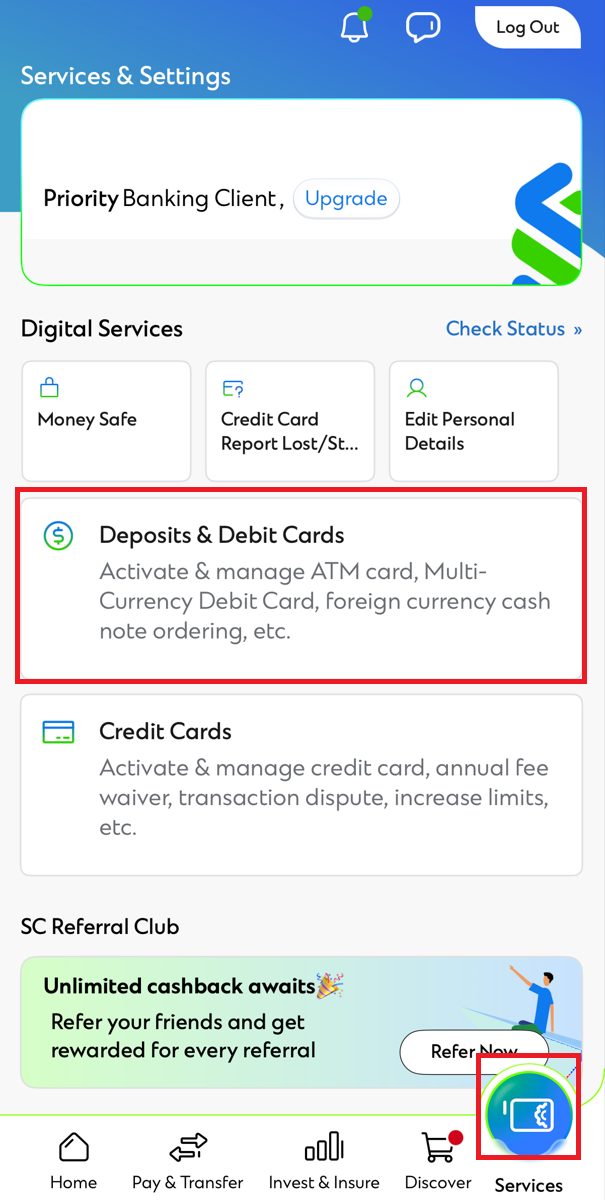
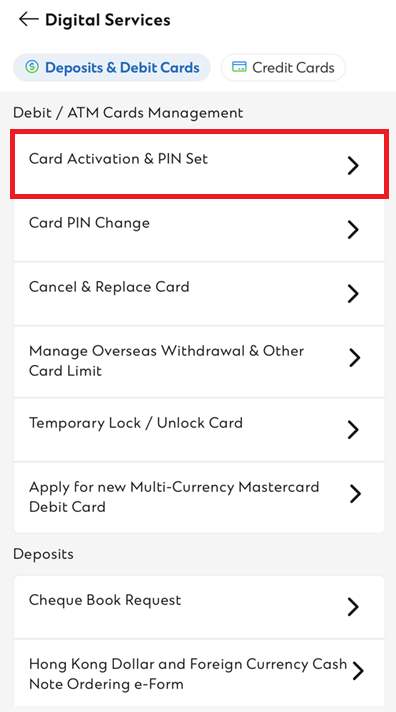
Login SC Mobile and click “Services” > “Deposits & Debit Cards” > “ATM Card Activation & PIN Set”

Step 1

Step 1

Step 2

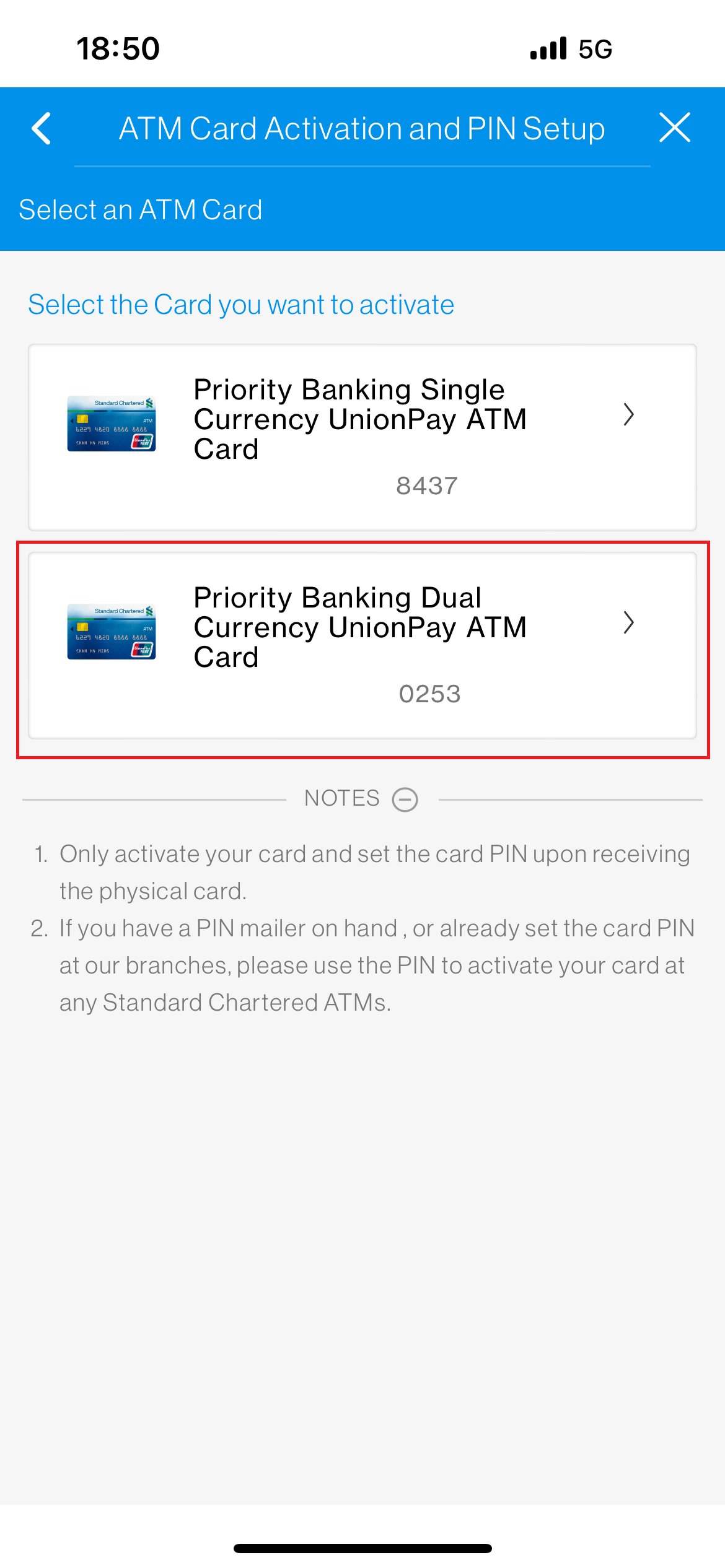
Click the UnionPay ATM card you want to activate

Step 2

Step 3

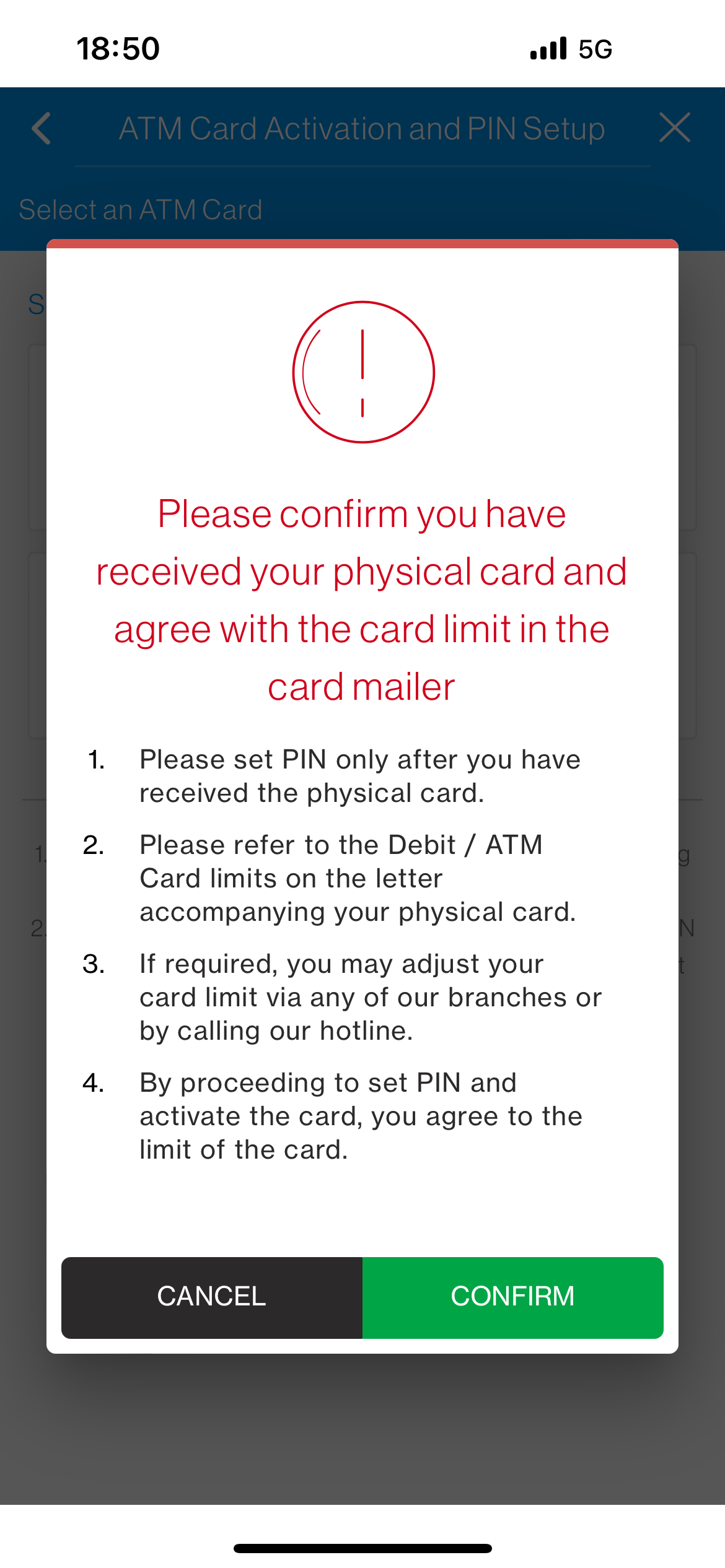
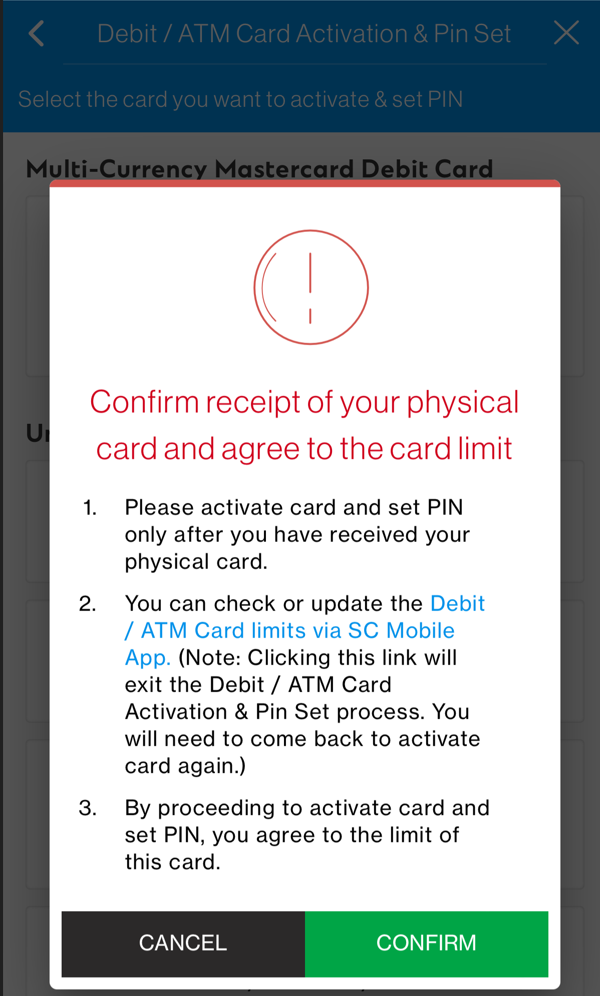
Confirm you have received your card and agree with the card limit stated in the card mailer

Step 3

Step 4

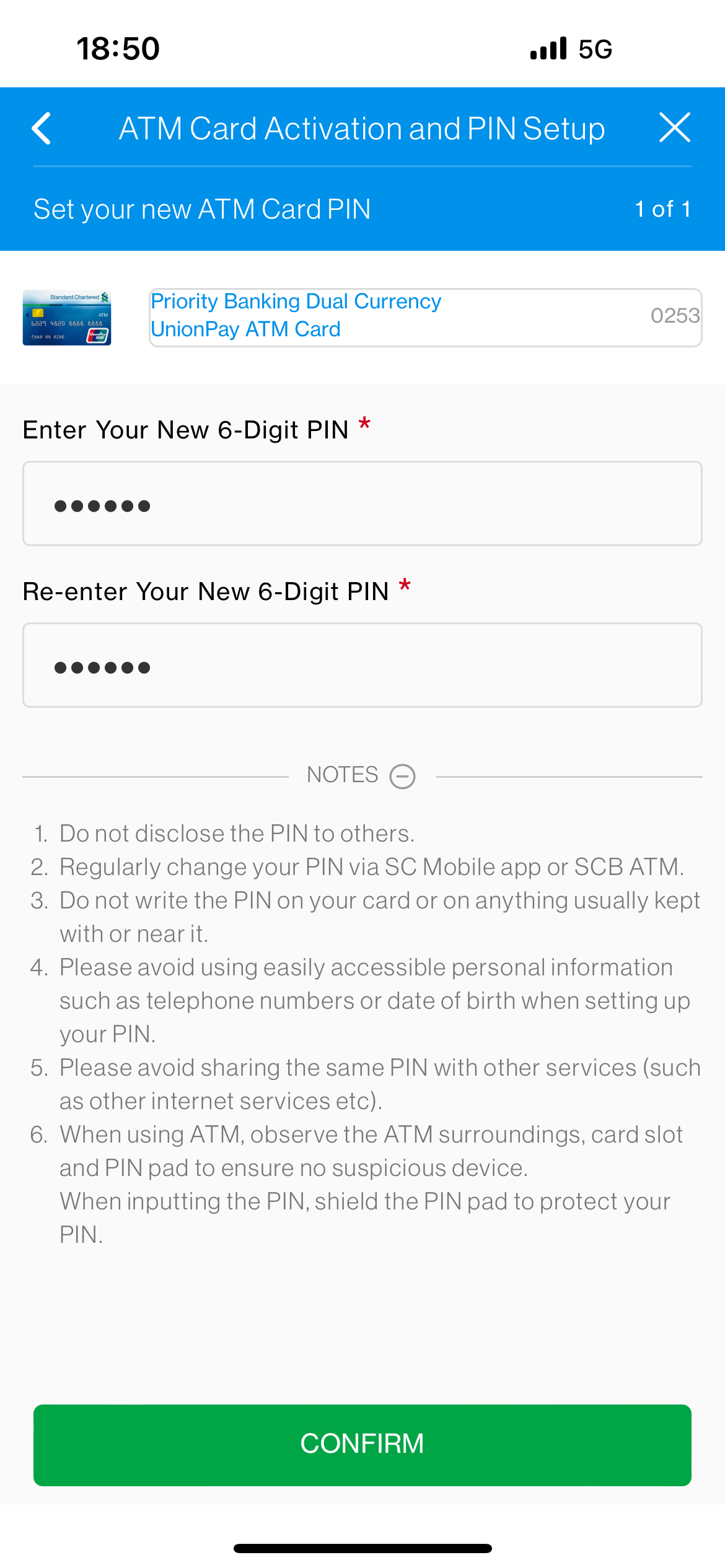
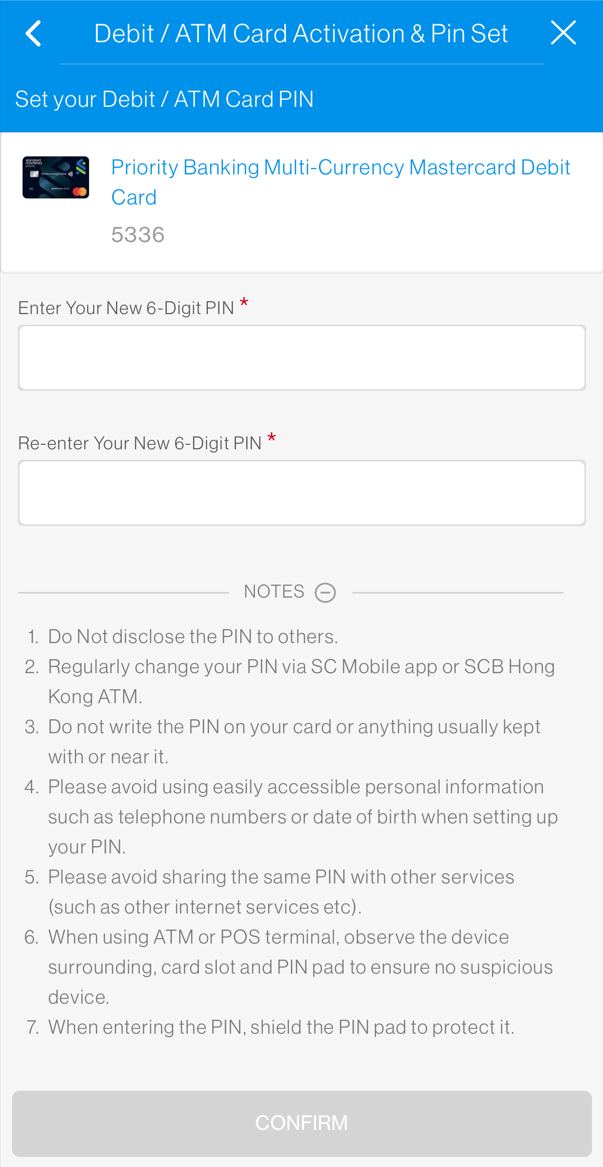
Enter your new 6-digit PIN twice

Step 4

Step 5

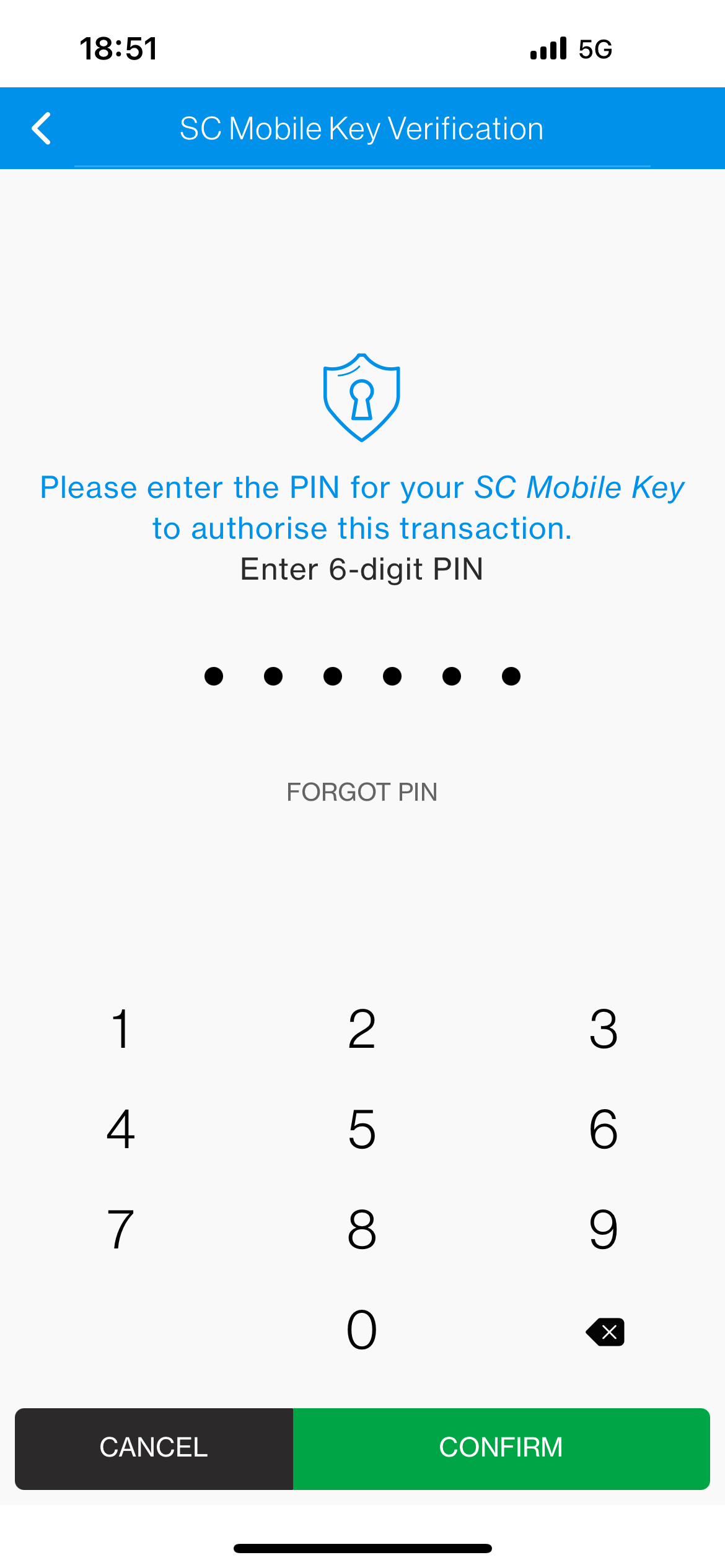
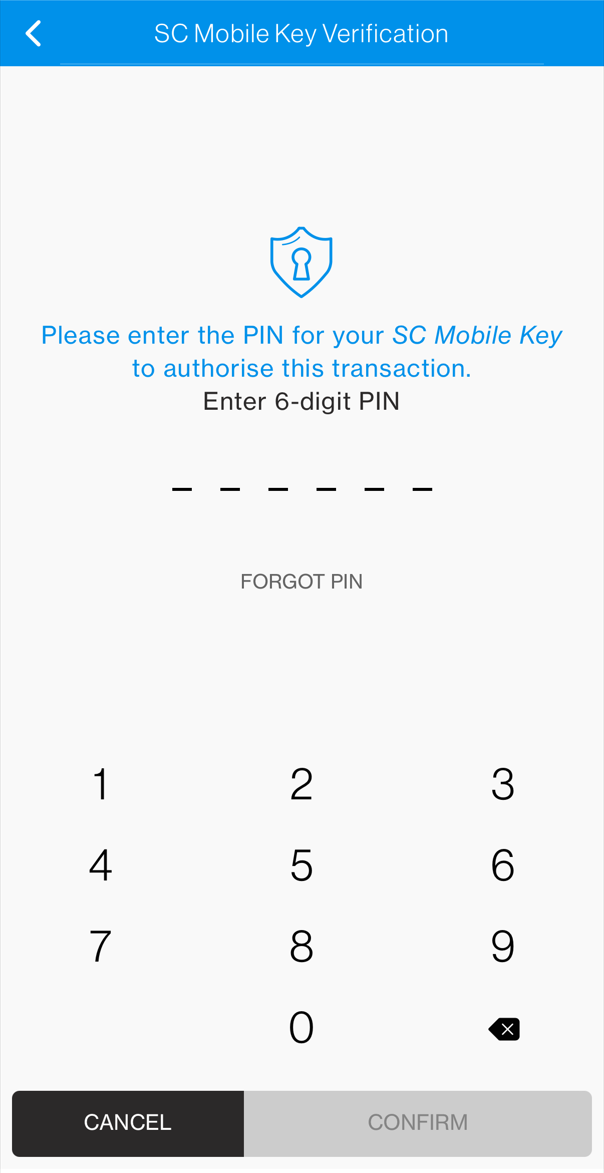
Enter your PIN for SC Mobile Key for verification

Step 5

Step 6

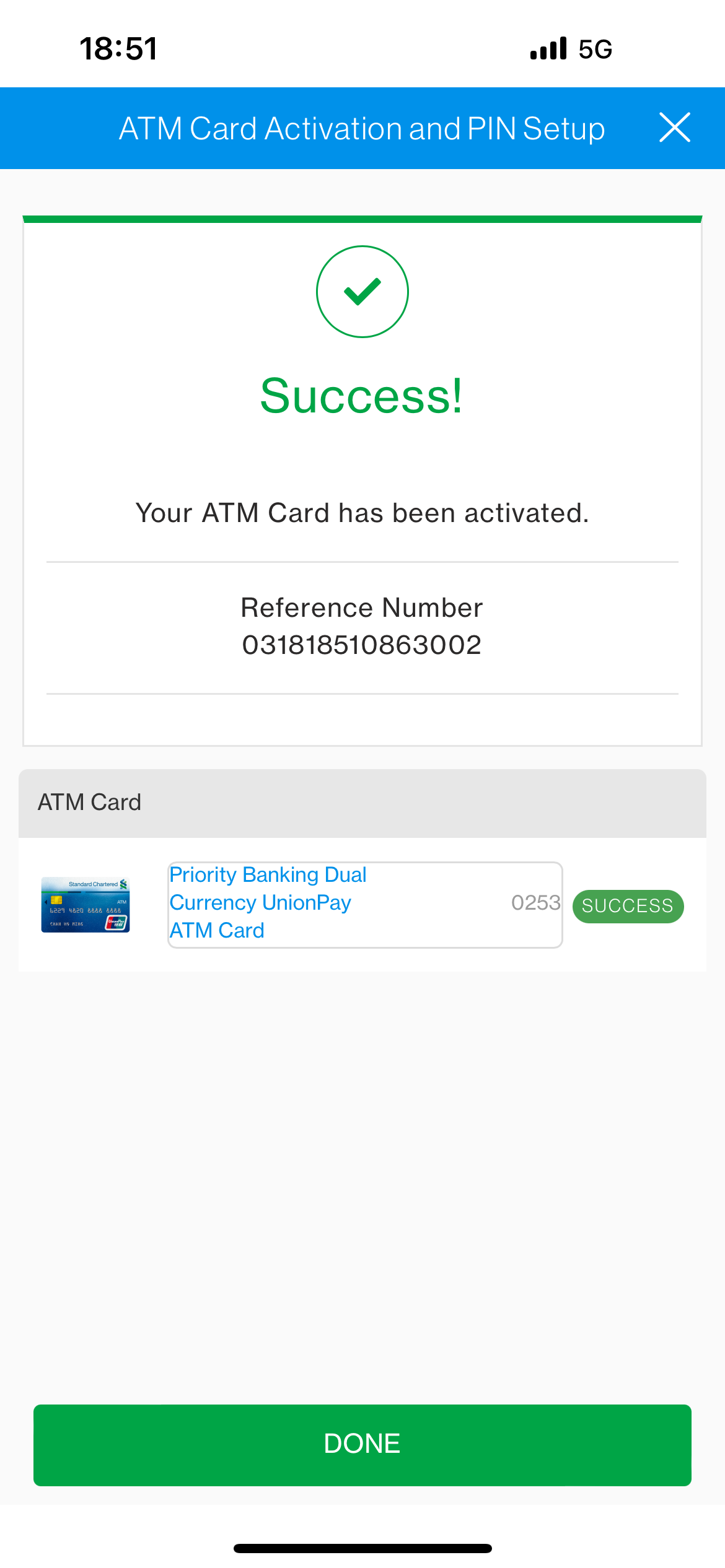
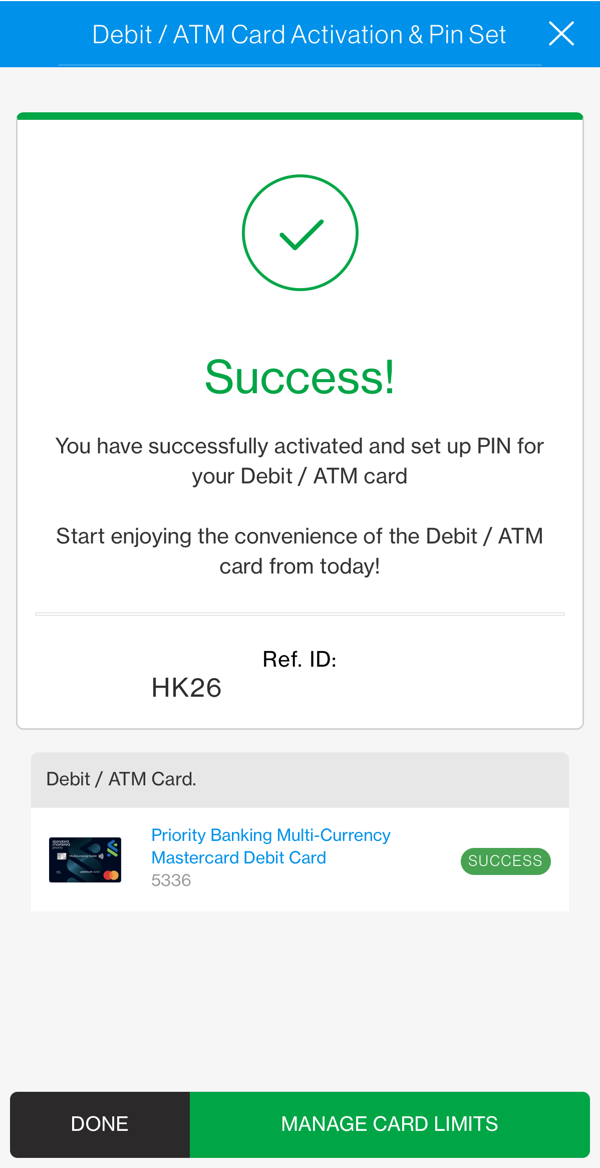
It’s done.

Step 6