How digital account opening works
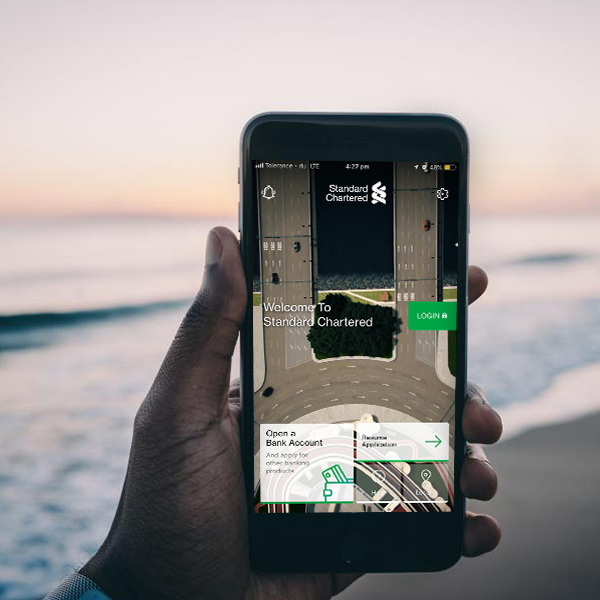
STEP 1 – Download SC Mobile App from the App store if you are using an Apple device or from Google Play store if you are using any other handset/device. Search for ‘SC Mobile Botswana’.
STEP 2 – Apply for a new account by selecting ‘Open a Bank Account’. You may select both a Savings Account and a Current Account. You will need to be 18 years or older and be in possession of a National ID or Passport if you are a non-citizen.
STEP 3 – Get started on an all-in-one easy application, complete your personal details and upload or capture some documents from your mobile camera. It shouldn’t take you more than 15 minutes and you can save and resume at anytime. Please note you will have within 30 days to submit and manage your application.
STEP 4 – Review, agree to SCB Terms and Conditions and submit your application. Within 2 working days we will deliver your debit card and activate your account.
STEP 5 – If you have any required updates to your application or documents we will send you notifications to resubmit documents on SC Mobile App.
STEP 6 – Once all documents and details are approved we will commence ‘Account Activation’. Before your account can be activated to start digital banking, the bank has procedures that authenticate each applicant to verify their identity to protect individuals from identity theft.
After you receive your Account Number, there are the ways on how we will verify your identity to Activate your account:
1. An approved SCB courier agent will authorise your identity verification. When this is completed we will hand over your new debit card. Card delivery will be done within 2 working days.
2. Visit your nearest SCB Branch, Locate us – https://www.sc.com/bw/atms-and-branches.html
3. Where applicable, ID verification will be completed automatically through integration with the local National registry.
STEP 7 – Now that you have been activated, it will be time to Register for SC Mobile App and Online Banking using your temporary ID and password, to set up your own Login credentials and you can also setup easy login with Touch ID.
STEP 8 – After around 2 working days, our authorised agents will deliver your debit card to you. Once you have received your debit card you may now activate it by setting up your card PIN. After you have logged in, visit ‘Main menu’ and select ‘Service Requests’ > ‘Card Management’ > ‘Debit Card Activation & PIN Set’
STEP 9 – Fund your account. Lastly, we will provide you with reminders and options to fund your accounts. For more account information check on the Accounts listing landing page or select an account and look for the ‘More information’ icon.
We look forward to assisting you with digital banking into the future, should you need further assistance please get in touch with our Contact centre. Get help.