
Please follow the simple steps below after opening SC Mobile Taiwan APP :
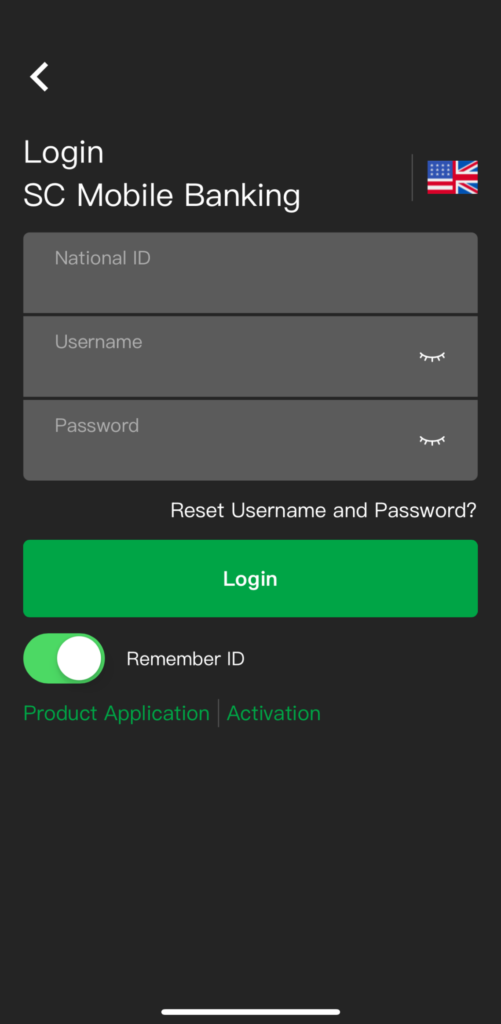
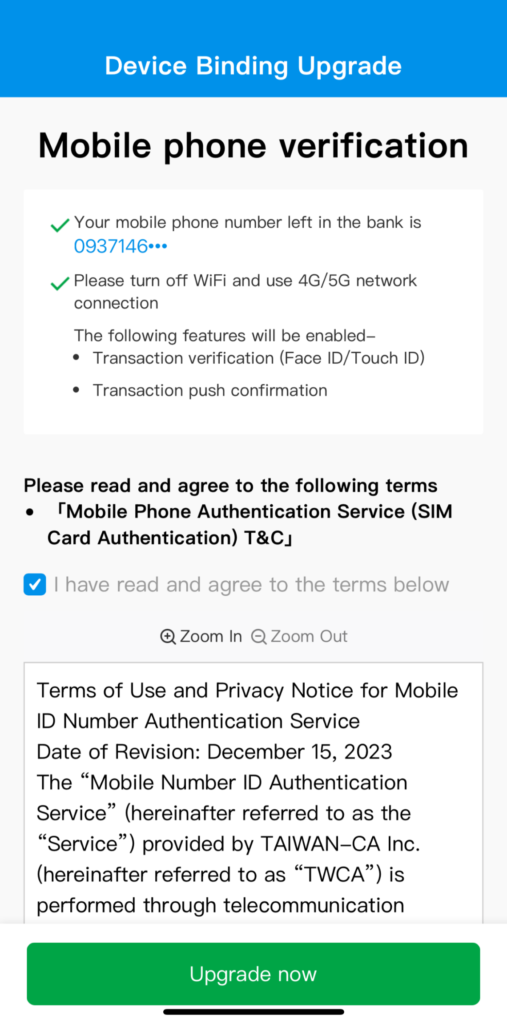
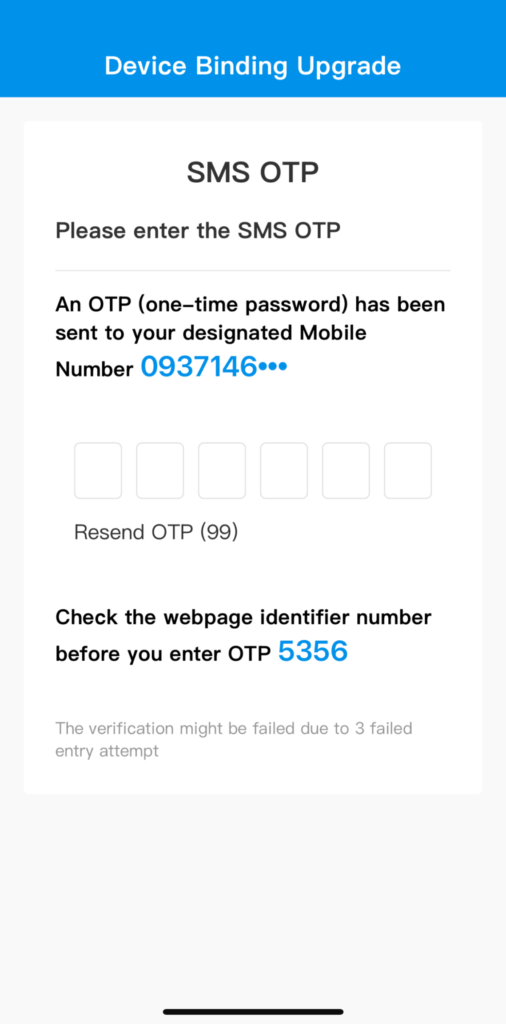
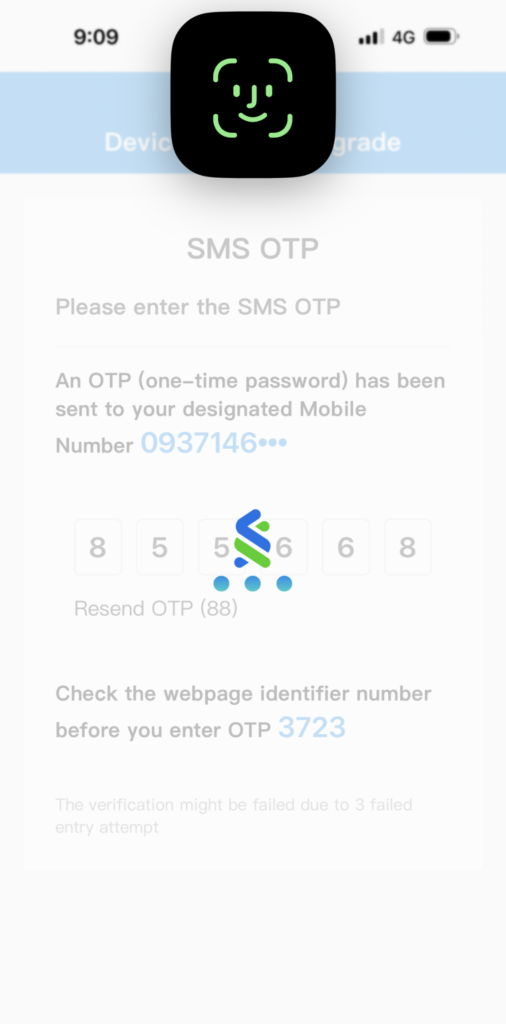
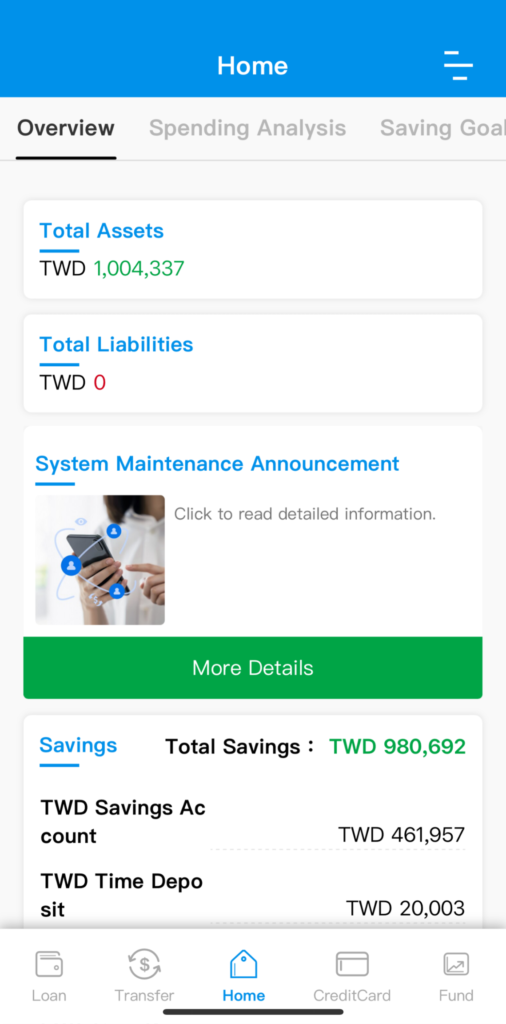
Please follow the simple steps below after opening SC Mobile Taiwan APP :
FAQs
You can go to iPhone App Store / Android Play Store and search “SC Mobile Taiwan ” to download and install.
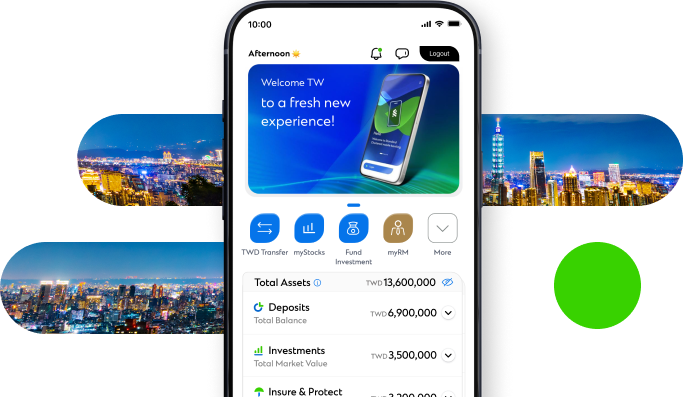
SC Mobile is a brand new mobile banking service provided by Standard Chartered Bank (Taiwan) Limited available to users on their smart phone. Through the service, you will not only get a wide range of information about where to dine, what to buy, and other useful tips to make your life better, but also have yourself always updated with banking information to enable you to manage your personal wealth in just a few taps.
SC Mobile is a mobile financing service provided by Standard Chartered Bank (Taiwan) Limited to the public, whether or not you are an existing customer of Standard Chartered Bank (Taiwan) Limited. As long as you are a smart phone user, you may use the services available at the app, except Login and Buy Now. Feel free to experience the convenience brought to you by Standard Chartered Bank (Taiwan) Limited through our SC Mobile service. When you have opened a current deposit account with the Bank, you may apply for the online banking service online, by visiting our location.
You can turn on SC Mobile push notification to have an instant access to our latest announcements.
Services currently available at SC Mobile include: Login (personal online banking: account overview, fund transfer, Time Deposit, Loan,Payment, Trust investment, credit card service, e-statement service and Personal Settings ; Credit card online service: Card Statements, transaction details, Bonus point, Alerts, Online Card Activation and Personal Settings etc.), Offers, Finance Information Inquiry and Customer Services.
The SC Mobile app is provided free of charge. As long as you are a smart phone user, you will be able to download the app for free from iPhone App Store or Android Play store. Please note, however, the functions of the service may have minor differences when used on different models of smart phones due to the hardware differences. Please contact your mobile phone manufacturer for details about the hardware functions. Also, the Internet connection is required on your mobile phone if you wish to download the app and use the service. Your telecom service provider may charge additional fees for data transmission when you use online services from your mobile phone. The applicable fee rate may vary depending on the service package you have enrolled in.
- The username and password for your SC Mobile online banking service is the same as those for your online banking service available on the computer browser.
- Please enter your National ID Number and the username and password registered for the computer browser version to log in, and you may use the online banking service on your computer and mobile phone. Please note, however, you may not log in your “SC Mobile” online banking and the “computer browser version” of online banking at the same time.
Yes. We offer you to change your username and password via SC Mobile. You may log in the online banking, and tap on “Profile Editing and Setting””→”Personal Settings” option and change your “Username” or “Password”.
When you have entered an incorrect username or password three times in a roll, your “username” and “password” will be simultaneously locked up. To reset your “username ” and ” password”, please use either your chip ATM card (a card reader is required), or phone banking password, or password for magnetic stripe ATM card/Visa ATM card to verify your identification, and click the “Reset Username and Password” option on the homepage of the online banking, and follow the instructions on the page to complete unlocking of your login to your online banking.
No. The notification simply reminds you to install anti-virus software to secure your mobile transactions. It does not indicate that your mobile device is infected by virus.
No, it is not. “SC Mobile Taiwan” only detects whether your mobile device is compromised.
For iPhone or iPad users, please go to App Store, and for Android device users, please go to Google Play to search for and download appropriate anti-virus software. Or, you may contact your mobile device vendor for more information.
We suggest you immediately activate your PIN lock on your mobile phone and regularly change your mobile phone PIN number and do not disclose the information to anyone else.
IOS & ANDROID APPS
Standard Chartered Online Banking Manage your accounts and transactions anytime and anywhere



Related Links

Online Banking