Apply via SC Mobile App

For New-To-Bank client:
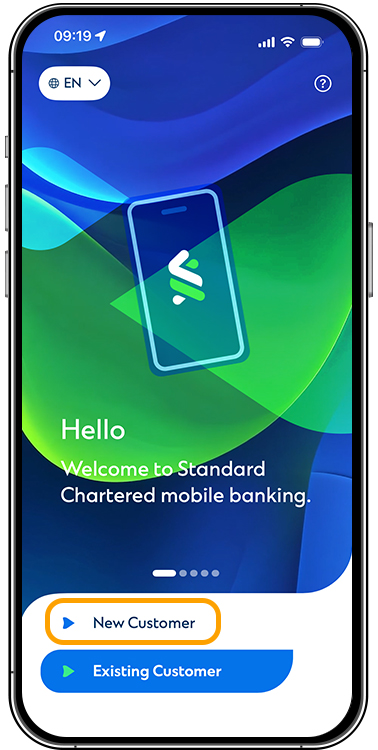
Click “New Customer” > “SME Account” > “Start new application”
For Existing-To-Bank client:
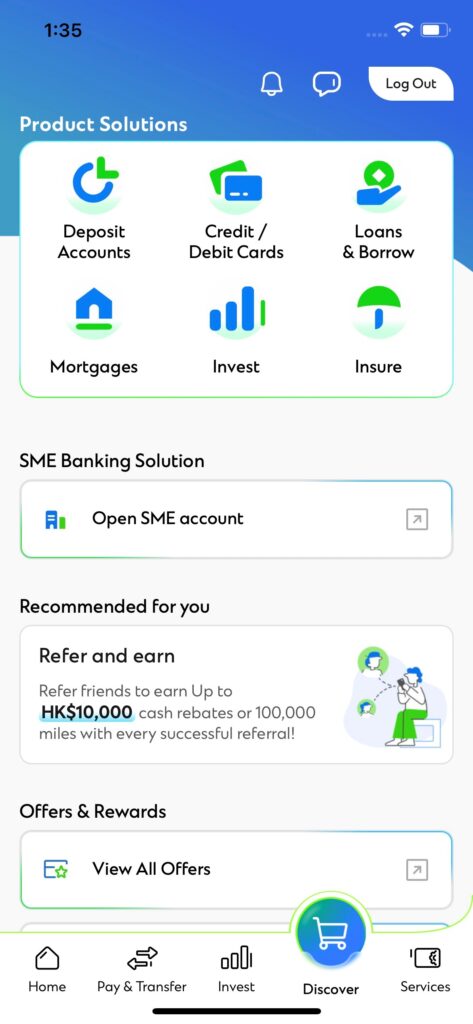
Log in SC Mobile App > Click “Open SME Account” under Discover tab > “Start new application”

For New-To-Bank client:
Click “New Customer” > “SME Account” > “Start new application”
For Existing-To-Bank client:
Log in SC Mobile App > Click “Open SME Account” under Discover tab > “Start new application”
For New-To-Bank client:
Click “New Customer” > “SME Account” > “Start new application”
For Existing-To-Bank client:
Log in SC Mobile App > Click “Open SME Account” under Discover tab > “Start new application”
Open an SME Banking account vis SC Mobile App to enjoy account opening fee waiver, preferential savings rate of up to 3.6% p.a. and receive up to HKD 300 in FPS fee rebates

Open an Investment Account within 2 months of onboarding to receive an HKD 500 reward

Place your first investment deal with subscription amount reaching USD 500,000 within 3 months of opening your Investment Account to enjoy an HKD 1,888 reward

Make an appointment and complete a Financial Needs Analysis to enjoy an HKD 500 worth gift

Accumulate foreign exchange (FX) transactions of HKD 1,000,000 or above (or equivalent) conducted via Straight2Bank within 3 months from onboarding to enjoy an HKD 500 reward

Open SME Banking accounts with Standard Chartered Hong Kong and any of the Standard Chartered SME network markets to enjoy an account opening fee waiver of HKD 1,200 and additional fee rebates totaling up to HKD 4,000

Payment
Deposit
Collection
Foreign Exchange

Payment
Deposit
Collection
Payroll

Payment
Deposit
Collection
Payroll

Payment
Deposit
Foreign Exchange
Payroll
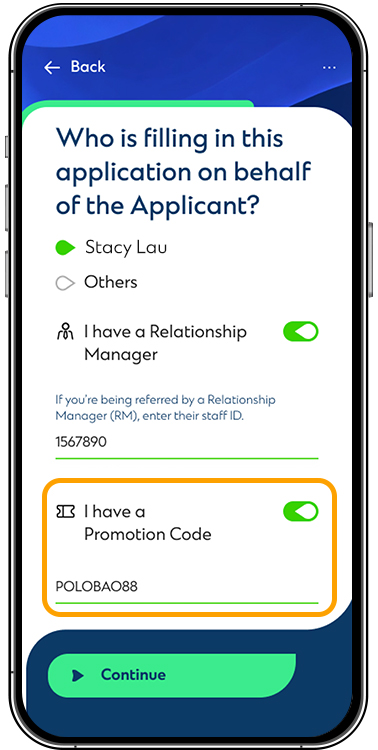
This is a new service enabled for clients to submit application for SME account via SC Mobile App. Throughout the mobile application, clients will be able to provide crucial information for application and conduct identity verification (for applicants with 2018 version of HKID). Unlike the prevailing account opening process where a specific face-to-face appointment with our Relationship Managers is required, clients can submit the applicant anywhere and anytime they prefer via SC Mobile App. Our Relationship Managers will follow up with the applications and reach out whenever required.
We welcome all clients registered/incorporated in Hong Kong with live business status to apply for SME account opening via SC Mobile App.
Clients will be required to input their Unique Business Identifier (UBI) in the beginning of the application. For applicants with 2018 version of HKID, their HKID is also required for verification purpose during the application. No extra document upload is required but we will ask clients to answer questions related to their business and to provide specimen signature by taking or uploading a photo.
For clients new to SC Mobile App, they can select “New Customer” on the homepage and then “SME Account” to enter the application. For existing clients with SC Mobile App login credentials, they can first login, then select “Discover” at the bottom and then “Open SME account” to enter the application.
To facilitate the application, we will be utilizing the provided UBI to fetch necessary business information from official databases such as the Inland Revenue Department. This will be done automatically, and no action is required from you.
This indicates that we are still in the progress of retrieving your business information from official databases. In such case, you may first leave the application and return in a while by selecting “Resume application instead” on the first page of application. After inputting the mobile number and email provided earlier, you will be provided with an OTP to resume the application with all your previous progress saved.
You will either not be directed to perform the HKID verification step or given an option to choose “Skip IDV”. Rest assured this will not affect your application submission and our Relationship Managers will reach out for follow up.
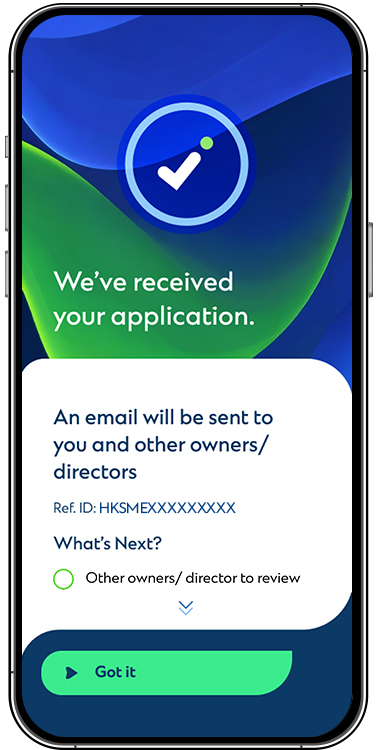
Near the end of application, the applicant will be asked to provide mobile number and email of other owners of the business. We will then subsequently reach out to the other owners via the provided contact information to review and complete the application. In some cases where the business has corporate shareholder or more than 4 owners, our Relationship Managers will reach out to follow up.
If you leave the application at any steps after the UBI search, your application progress will be saved for 14 days and you can resume by selecting “Resume application instead” on the first page of application. After inputting the mobile number and email provided earlier, you will be provided with an OTP to resume the application with all your previous progress saved.
Based on the initial checking on your business, we may require further information from you to complete the application. Please feel free to click on “Make an appointment” and leave your information on the website displayed and our Relationship Managers will be reaching out for assistance.
Our staff members will review your application once it is received. If required, our Relationship Manager may reach out for a video call or face-to-face meeting to follow up.
Yes, we will be sending email to the email address provided to keep you updated on application status and any required next steps. An application reference number will also be included.
No, you can only complete your application through SC Mobile App. However, once your have successfully opened your account(s), you may log in our Straight2Bank platform to perform banking activities.
No, all banking activities should be operated via Straight2Bank after account is successfully opened. You will be notified the respective login arrangement.
In case your application is processed without face-to-face appointment, a HKD6M daily outgoing payment limit on Straight2Bank will be in place for your business, with such limit equally distributed among approving signatories. If you wish to uplift this limit, please contact us and we shall assist you accordingly.
Unique Business Identifier (UBI) is the Business Registration Number (“BRN”) (i.e. the first 8 digits of the Business Registration Certificate number) assigned by the Business Registration Office of the Inland Revenue Department (“IRD”) will be adopted as the UBI of companies / entities. For details, please refer to information from Companies Registry or the IRD
Risk Disclosure Statement for Foreign Exchange
Risk Disclosure Statement for Investment Fund Services
Risk Disclosure Statement for Debt Securities Services