Credit Card Settings
  1. Credit cards
  2. Credit Card Settings

Stay ahead with enhanced security for your credit card transactions

New features, upgraded experience

Access Credit Card Settings in the SC Mobile app and enjoy enhanced security. Our latest update includes Temporarily Block Card, customisable transaction alerts, spending limits and payment channel controls — all within a few taps.

Key Features

These features will enable you to perform enhanced security measures conveniently.

Access Credit Card Settings

Temporary Block

Transaction Alert

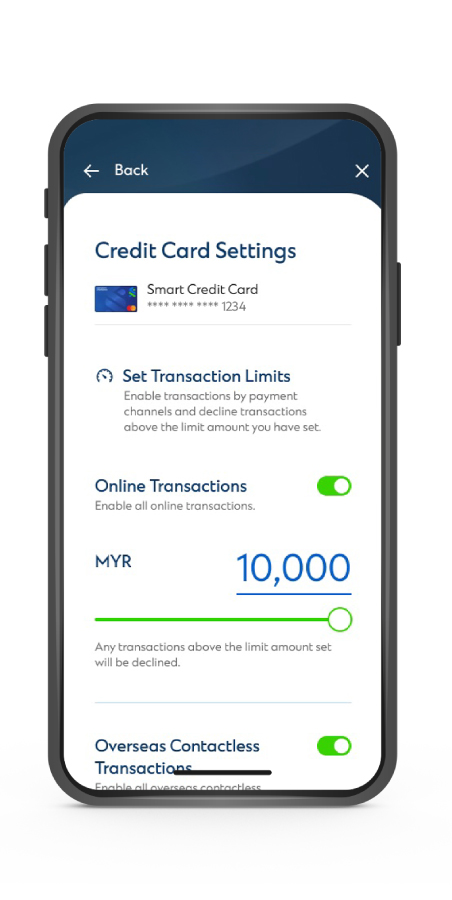
Payment Channels & Transaction Limit

How to access Credit Card Settings

  • STEP1
  • STEP2
  • STEP3

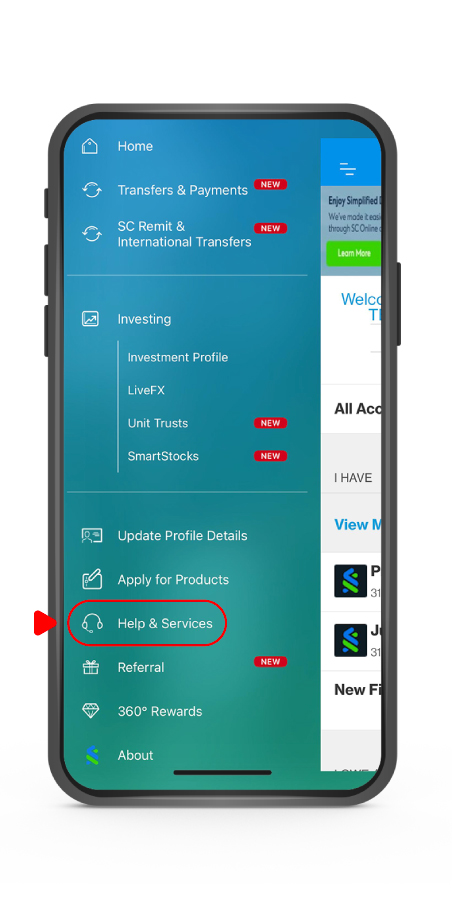
STEP 1

Login to the SC Mobile app and go to “𝐇𝐞𝐥𝐩 & 𝐒𝐞𝐫𝐯𝐢𝐜𝐞𝐬”

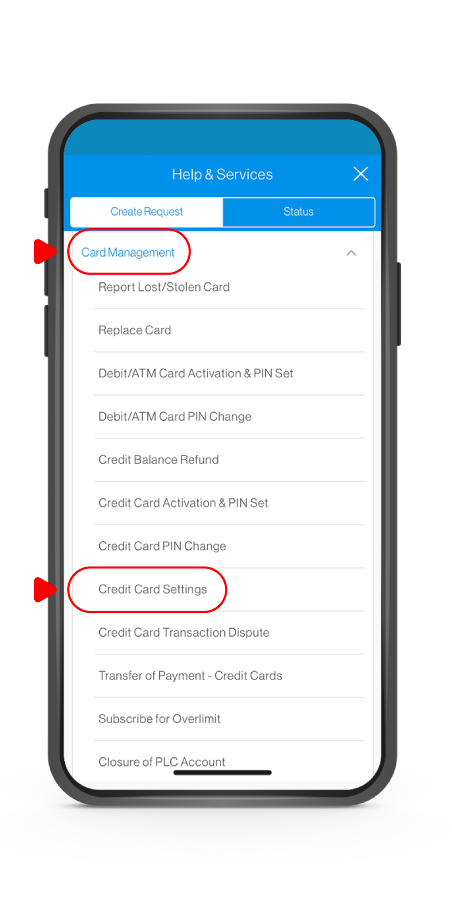
STEP 2

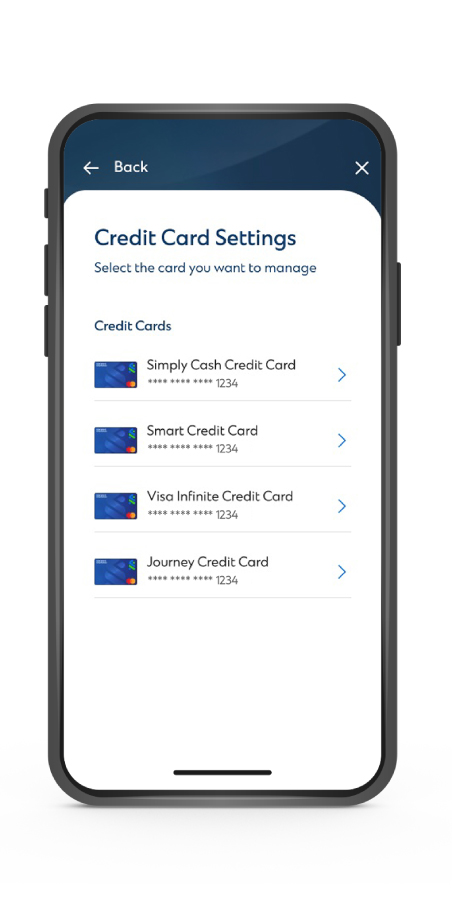
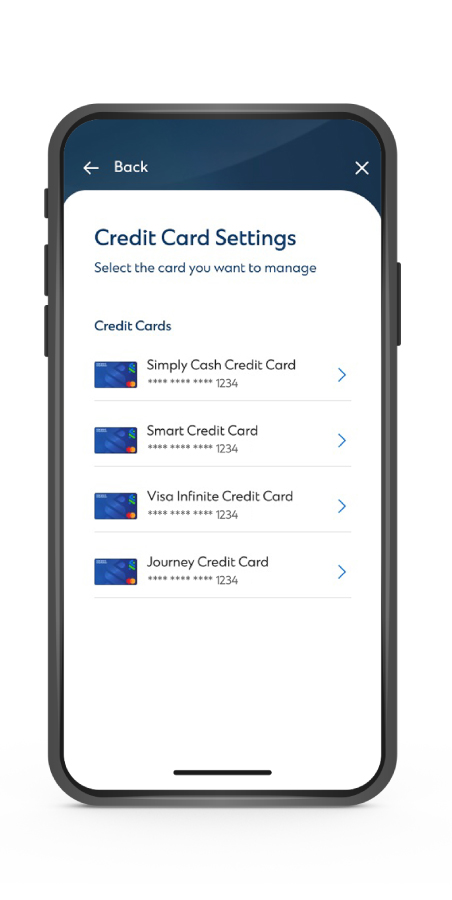
Under “𝐂𝐚𝐫𝐝 𝐌𝐚𝐧𝐚𝐠𝐞𝐦𝐞𝐧𝐭”, tap on “𝐂𝐫𝐞𝐝𝐢𝐭 𝐂𝐚𝐫𝐝 𝐒𝐞𝐭𝐭𝐢𝐧𝐠𝐬”

STEP 3

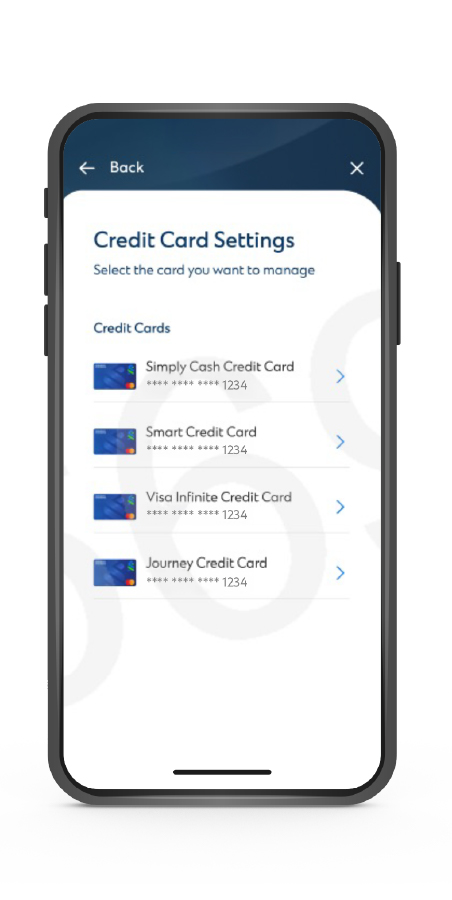
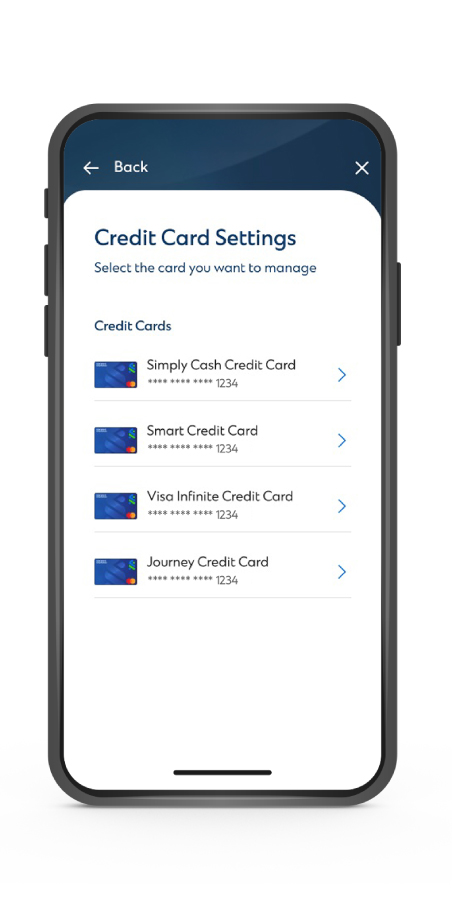
Select the card that you want to set up

How to Temporarily Block Card

  • STEP 1
  • STEP 2
  • STEP 3

STEP 1

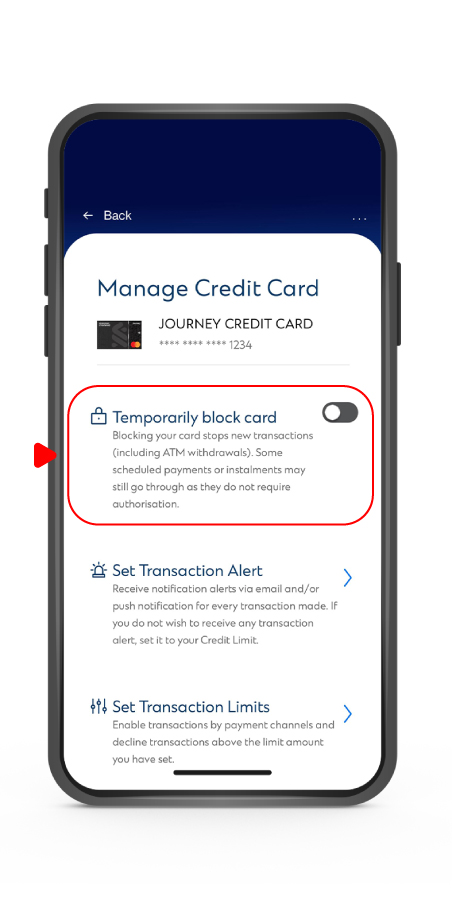
Select the credit card that you want to block

STEP 2

Tap on “Temporarily block card

STEP 3

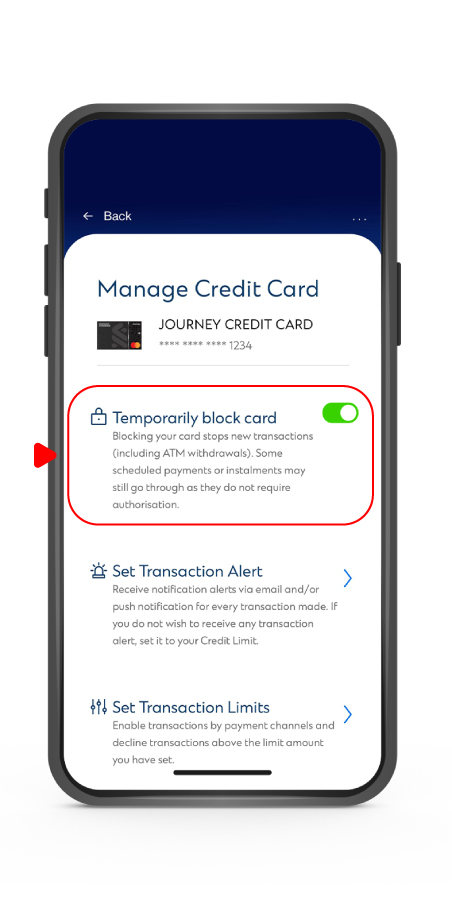
To activate, turn on the button and tap “Yes” to complete the activation.

To deactivate, turn off the button, tap “Yes” and key in your SC Mobile Key to complete the deactivation

How to set Transaction Alert

  • STEP1
  • Payment Channels
  • STEP3

STEP 1

Select the credit card that you want to set up

STEP 2

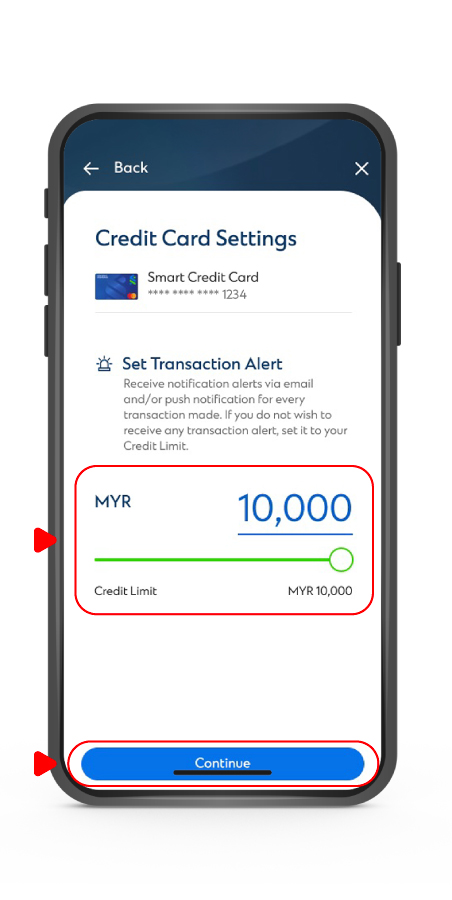
Tap on “𝐒𝐞𝐭 𝐓𝐫𝐚𝐧𝐬𝐚𝐜𝐭𝐢𝐨𝐧 𝐀𝐥𝐞𝐫𝐭”

STEP 3

Input the transaction alert amount that you want to set up or use the slider to adjust the amount then tap on “𝐂𝐨𝐧𝐭𝐢𝐧𝐮𝐞” to complete the request

How to set Payment Channels & Transaction Limit

  • STEP1
  • Payment Channels
  • STEP3
  • STEP4

STEP 1

Select the credit card you want to set up

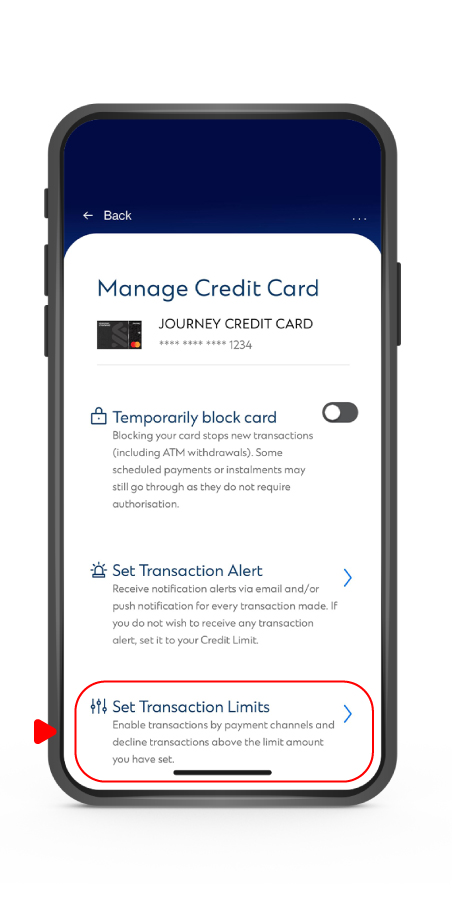
STEP 2

Tap on ““𝐒𝐞𝐭 𝐓𝐫𝐚𝐧𝐬𝐚𝐜𝐭𝐢𝐨𝐧 𝗟𝗶𝗺𝗶𝘁𝘀” to expand the list

STEP 3

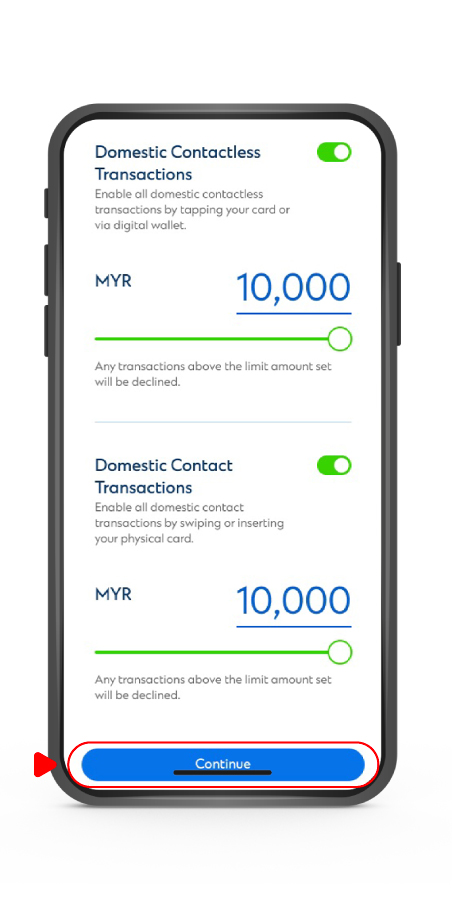
Choose the payment channel and ensure that you have turned on your preferred channel(s) button

STEP 4

Input the transaction alert amount that you want to set up or use the slider to adjust the amount then tap on “𝐂𝐨𝐧𝐭𝐢𝐧𝐮𝐞” to complete the request

Note: Toll related transactions are not subject to Online and Overseas/Domestic Contactless settings.