
The Alerts & Notifications feature allows you to receive messages from the bank when transactional activities are detected on your accounts. Register for this service via Online Banking now to stay updated with your banking activities on the go.



Register for Alerts and Notifications now
Register for Alerts and Notifications now
Meet your better app
Experience the new standard of digital banking with SC Mobile

Scan QR code to download SC Mobile App now



FAQs
Banking alerts are notifications about transactional activities on your bank account. By default, these alerts will be delivered to you via email and/or push notification. You can customise your alert preferences via Online Banking.
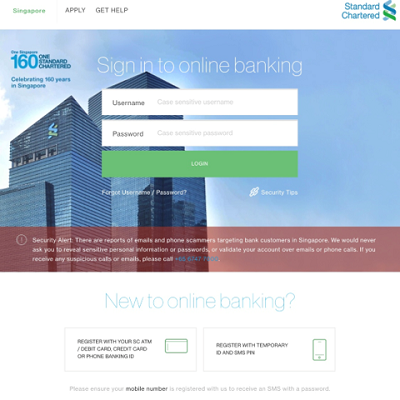
To go to Online Banking, click on the green “LOGIN” button at the top right hand corner of the page. Alternatively, please click here.
Banking alerts allow you to enjoy timely updates on your account activities and act quickly in the event of fraudulent transactions.
You can register for this feature via Online Banking.
To log in to Online Banking, click on the green “LOGIN” button at the top right hand corner of the page or alternatively, please click here.
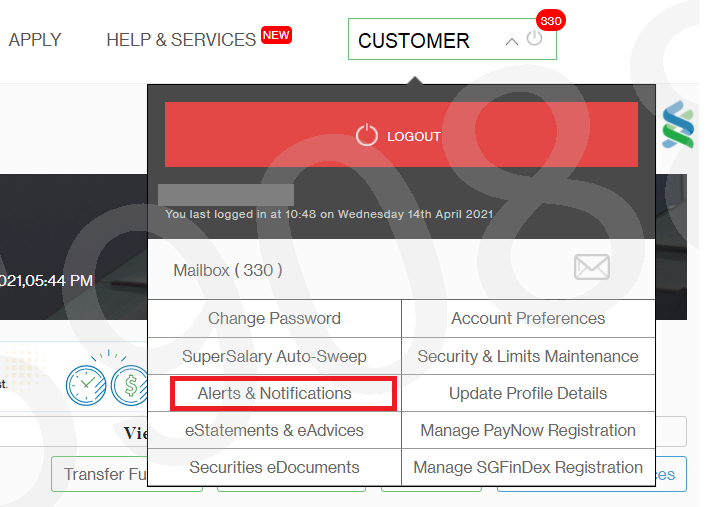
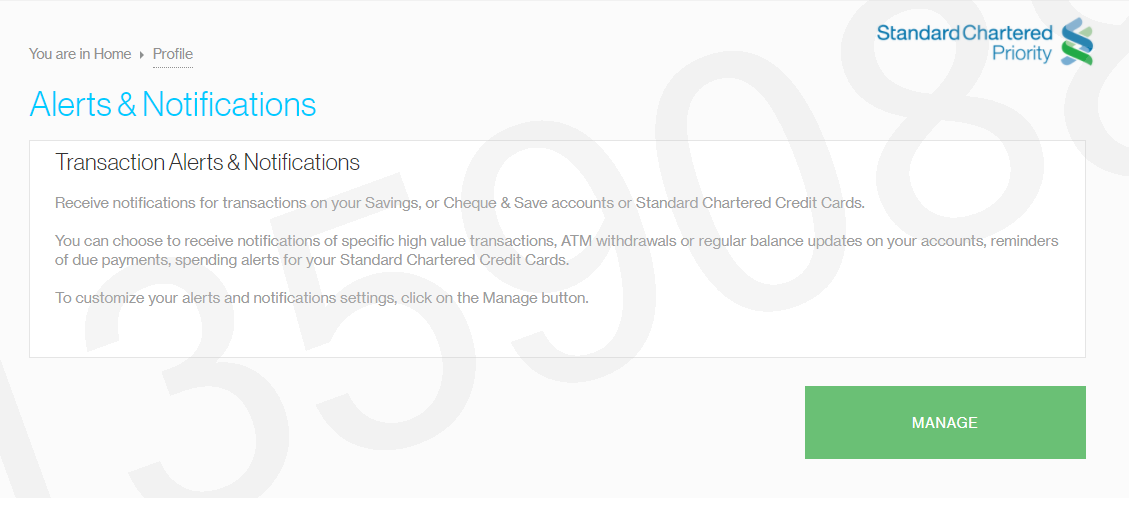
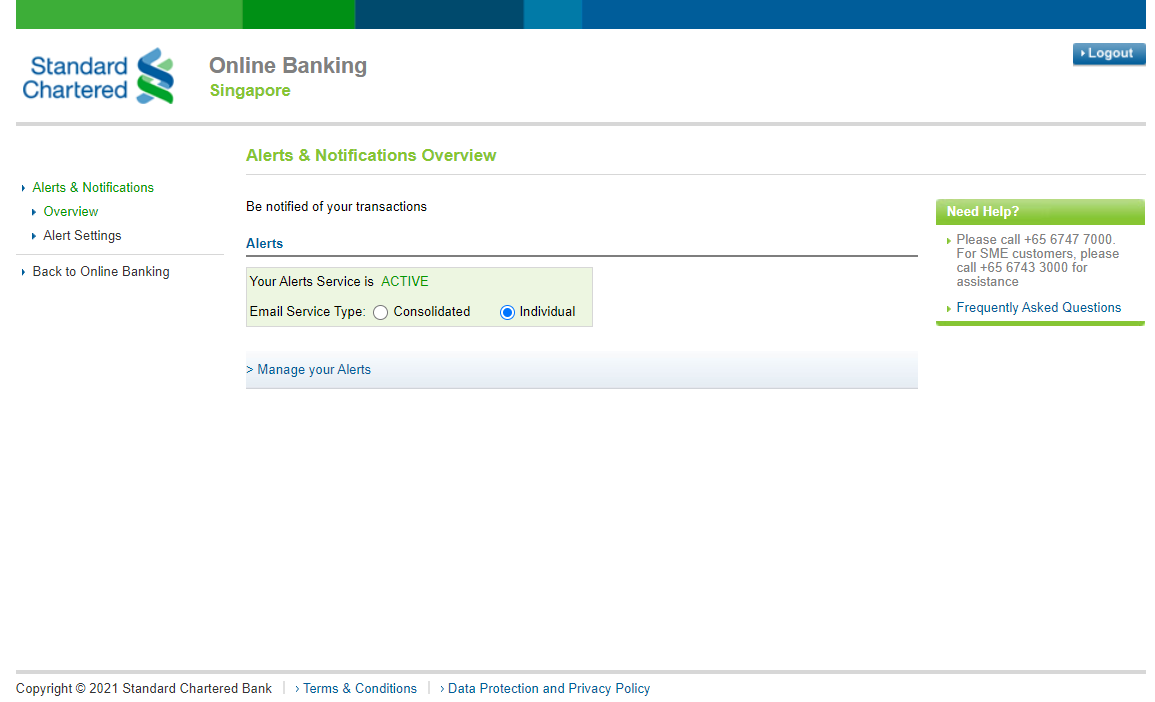
After login, hover over your name and select “Alerts & Notifications” on the dropdown menu. Follow the on-screen instructions to register.
You can choose to receive notifications on specific transactions, ATM withdrawals or regular balance updates on your accounts, reminders of due payments, spending alerts for your Standard Chartered Credit Cards. You can choose your preferred threshold to receive these alerts.
Unfortunately, not. You can only enable, disable or customise this feature via Online Banking.
To go to Online Banking, click on the green “LOGIN” button at the top right-hand corner of the page. Alternatively, please click here.