
Benefits of Google Pay
Go cashless on Google Pay
Send money to anyone registered with PayNow
Send money to anyone in your contacts—even if they don’t have Google Pay.
Split bills with ease.
Create a group to simplify expenses you share. Divide the tab, send and receive money, exchange messages, and see who’s paid all in one place.
Pay at even more places
No cash? No problem. Scan a PayNow SGQR with Google Pay to make purchases at your favourite businesses that don’t accept credit or debit cards.
Order food
See menus from your favourite restaurants and pay for takeaway with your Stardard Chartered card on the Google Pay app.
Link your Standard Chartered Bank account directly to Google Pay by following these three steps:
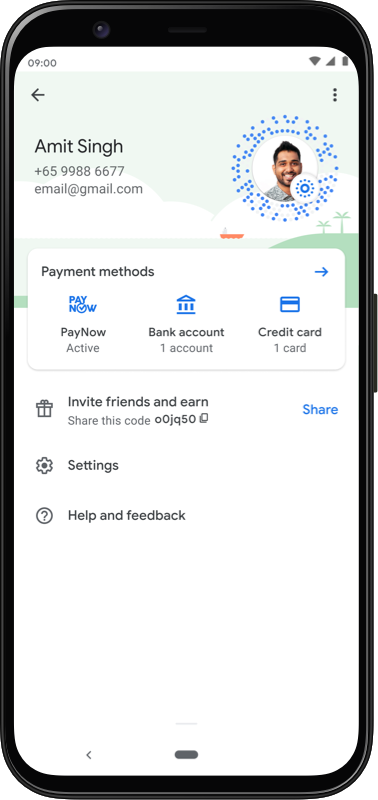
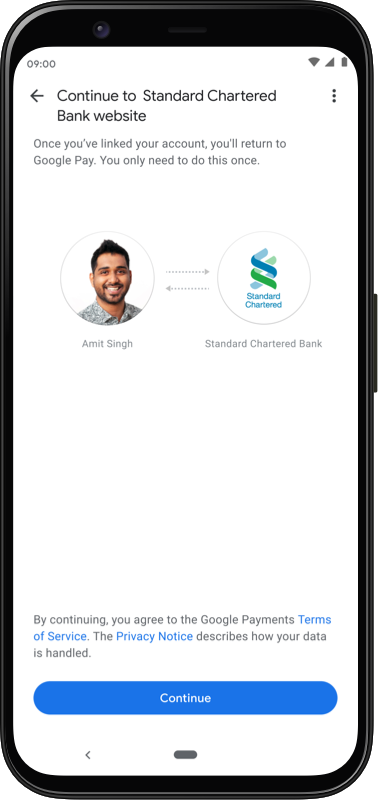
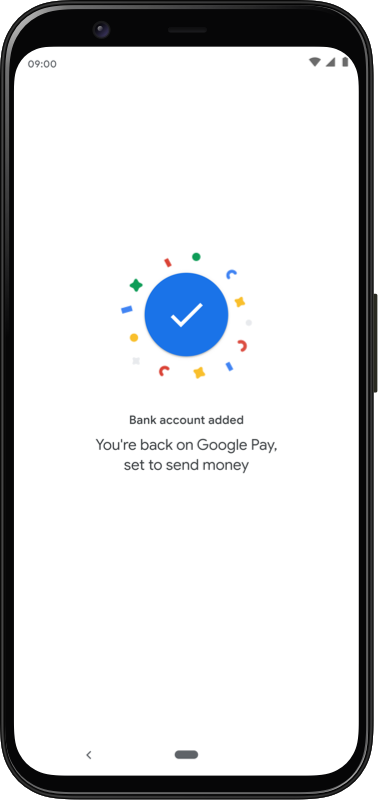
Link your Standard Chartered Bank account directly to Google Pay by following these three steps:


FAQ
Google Pay now allows users to link their eligible bank accounts and make payments to any individual or merchant registered with PayNow. It is also now available on both iOS and Android devices
The daily limit for Google Pay transfers is SGD 1,000. This is a shared limit for all PayNow third-party fund transfers done both via Standard Online banking or SC Mobile and Google Pay
Step 1: Tap on your profile photo from the home screen in the Google Pay app
Step 2: Select “Payment methods”
Step 3: Tap “Add a debit card or credit card”
Step 4: Follow the instructions and you’re all set
Yes, you can delete stored details on Google Pay and the records on backend with network (Visa/Mastercard) and SCB will be updated automatically.
Yes, you can only add your credit / debit cards on 10 devices for Google Pay per card.
You can delete stored details on Google Pay and the records on backend with network (Visa/Mastercard) and SCB will be updated automatically. Please contact SCB if you’re unable to do so.
Deposit Insurance Scheme
Singapore dollar deposits of non-bank depositors are insured by the Singapore Deposit Insurance Corporation, for up to S$100,000 in aggregate per depositor per Scheme member by law. Foreign currency deposits, dual currency investments, structured deposits and other investment products are not insured.